How invoice validation works
Check invoices before FBR submission: understand local checks, FBR validation, error results and what a successful validation does not guarantee.
Check before you file, not after
Validation is the step between finishing an invoice and filing it. Its whole purpose is to move the discovery of a problem earlier — from “FBR refused this filing” to “this field needs fixing before we send it.” The invoice is the same; the difference is when you find out, and how easy it is to correct.
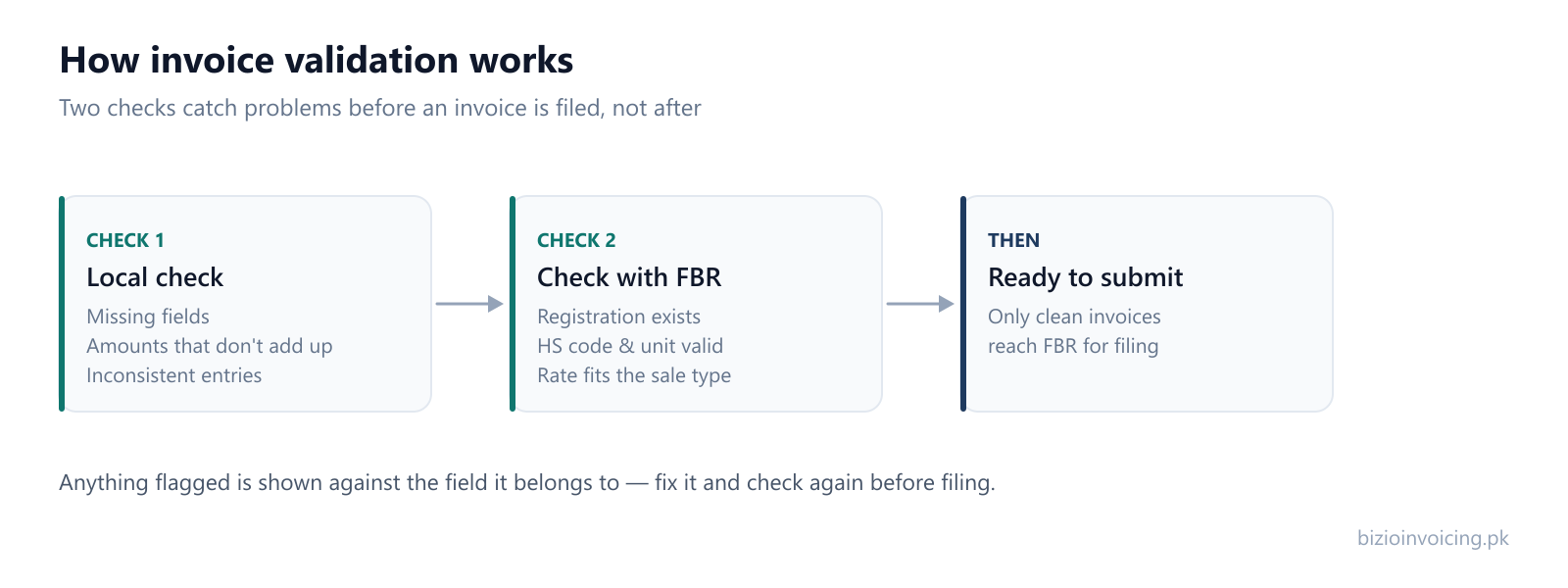
In practice validation happens in two passes, and knowing which one flagged something tells you what kind of problem it is.
The local check
The first pass runs on your own side, before anything leaves Bizio Invoicing. It catches what can be known without asking FBR: a required field left blank, amounts that do not add up, a credit note with nothing to reference, a quantity without a unit. These are structural problems, and they are the fastest to fix because the answer is usually obvious once it is pointed out.
The check against FBR
The second pass asks FBR to validate the invoice without filing it. This is the pass that knows things your own side cannot: that a buyer's registration number resolves to a real record, that a unit of measurement is one FBR accepts for the HS code on the line, that a rate is available for the sale type chosen.
It matters that this is a separate, non-committing step. You can run it, read what comes back, correct anything flagged, and run it again — all before a single real filing is made.
Valid is not the same as submitted
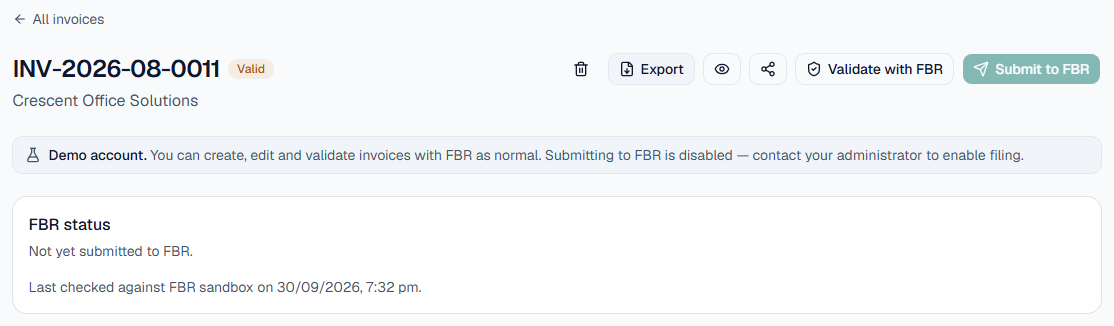
In Bizio Invoicing these are two buttons and two statuses. An invoice that FBR has validated is marked Valid, and its FBR status still reads “Not yet submitted” until you choose to submit it. No FBR invoice number exists at that point.
Errors against the field, not the whole invoice
A validation result is only useful if you can act on it. Rather than reporting that “the invoice failed,” a good result shows each problem against the field it belongs to, so the fix is a specific correction rather than a hunt. That is the difference between validation as a feature and validation as a formality.
What validation cannot tell you
Validation confirms an invoice is well formed and that its reference data is valid. It does not confirm your tax treatment is correct. FBR's checks confirm that a sale type, a rate and an HS code go together — not that they are the right ones for what you actually sold. That judgement stays with you and your tax consultant.
Bizio Invoicing is an independent software provider. It is not affiliated with, endorsed by, or an official service of the Federal Board of Revenue (FBR) or PRAL. Bizio Invoicing can explain why an invoice was flagged; it cannot decide the correct tax treatment for a transaction. Verify current requirements with FBR or a qualified adviser.
Review validation before submitting
Validate, read the response, correct any errors and then submit. A successful validation does not guarantee a later submission will succeed. Correct the affected invoice and update saved records or source spreadsheets separately when needed. If you are working with bulk spreadsheets, our Excel batch upload guide explains how multi-item grouping and batch validation work together. Why FBR rejects an invoice covers the families of problem validation is looking for.
Read next
Why FBR rejects an invoice
The six families of rejection validation catches, and how to stop them recurring.
Testing in FBR's sandbox
Run whole invoices through FBR's validations in the test environment before anything counts.
FBR invoice requirements
What a complete invoice carries — the fields validation checks are complete and consistent.
Ready to file your first invoice?
Tell us your business name and registration number and we will set up your account. You start in sandbox mode, so nothing is filed for real until you are ready to switch to production.
WhatsApp +92 339 4453223 · bizio.official1@gmail.com