The usual reasons an invoice is refused by FBR's digital invoicing system — buyer details, HS codes, units, rates, SRO references and document numbering — and what to do about each.
There are two checks, not one
An invoice can fail in two different places, and knowing which one you are looking at saves most of the time spent on a rejection.
The local check runs before anything leaves Bizio Invoicing. It catches what can be known without asking FBR: missing fields, amounts that do not add up, a note with nothing to reference. The FBR check is FBR's own validation, and it is the one that knows whether a registration number exists or an HS code admits the unit you used.
You can run the FBR check without filing. That is the single habit that helps catch problems earlier: validate, read what comes back, then submit.
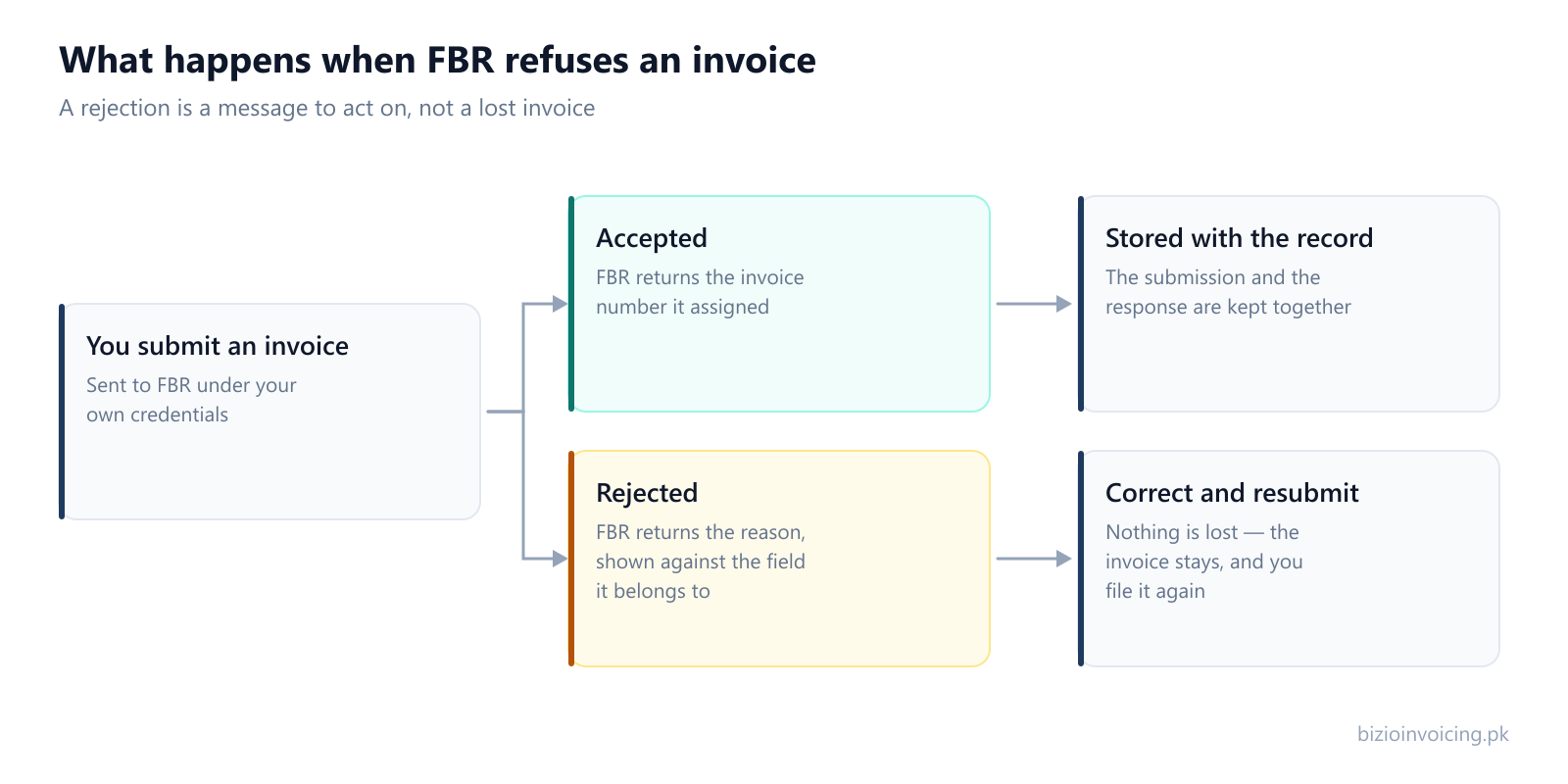
A rejection is a message to act on. The invoice stays where it is, with FBR's reason attached to it, until you correct and resubmit.
To catch data-entry, rate, and missing field issues before sending invoices to PRAL, follow our invoice validation guide. If you encounter errors while importing multiple records, see our Excel batch upload guide.
FBR's exact wording and codes change between releases, so what follows groups rejections by what has actually gone wrong rather than by the message you will see. Nearly everything falls into one of six.
1. The buyer does not check out
A registration number that does not match FBR's records — a transposed digit, or an NTN entered where a CNIC belongs.
A registration type that does not match the number given for the buyer.
A province that does not agree with the buyer's registered address.
What to do: Correct the buyer details on the affected invoice. Update the saved customer separately for future invoices; changing that record does not rewrite existing invoices.
2. The item is not classified the way FBR expects
An HS code that is close to the right one but is not valid for the goods described.
A unit of measurement that is not one of the values FBR accepts for that HS code.
A description that does not correspond to the code it is filed under.
What to do: Correct the affected invoice line and update the saved product separately for future use. Confirm the classification with your tax adviser when needed.
3. The rate and the sale type disagree
A rate that is not available for the sale type chosen.
A sale type that does not fit the transaction — a supply treated as a standard sale when it is not.
Tax amounts that do not follow arithmetically from the quantity, price and rate given.
What to do: This is the family most likely to be a tax question rather than a data-entry one. If the correct treatment is not obvious, it is a question for your tax consultant.
4. An SRO is quoted incompletely
A schedule number given without the item serial that authorises the treatment.
A serial that does not exist within the schedule quoted.
An exemption claimed on an item whose sale type does not admit one.
What to do: Both halves of the reference have to be present and have to agree. Where a product always relies on the same SRO, store the pair on the product.
5. The document itself is the problem
An invoice number that has already been filed.
A credit or debit note that references an invoice FBR never accepted.
A date that falls outside the period FBR will accept a filing for.
What to do: Check what was actually accepted before filing anything that refers back to it. A note can only reference an invoice that exists on FBR's side.
6. The credentials or the environment are wrong
A sandbox token used against production, or the reverse.
A token that has expired or been regenerated in FBR's portal without being updated here.
Seller details that no longer match the registration the token belongs to.
What to do: Ask an authorized administrator to check the token and environment. Read the response before retrying; a credentials error does not establish whether the invoice data is correct.
Stopping them from recurring
Almost every rejection above is a record problem wearing an invoice's clothes. The same buyer will be invoiced again next month; the same product will be sold again next week. Correcting the saved customer or the saved product — rather than patching this one invoice — is what turns a recurring rejection into a one-off.
The other half is testing. Every family on this page can be provoked deliberately in FBR's test environment, where being wrong costs nothing. Working through them in sandbox first is the cheapest way to meet them.
What we can and cannot tell you
Bizio Invoicing shows you FBR's response against the field it belongs to, and keeps the invoice so you can correct and resubmit it. What it will not do is choose a value for you: which HS code classifies your goods, or which sale type a transaction falls under, is a tax question, and one for you or your consultant rather than for software.
Tell us your business name and registration number and we will set up your account. You start in sandbox mode, so nothing is filed for real until you are ready to switch to production.