Managing your invoices, not just filing them
Managing invoices after they are filed: tracking status, finding past submissions, keeping FBR's response on record, and reusing customers and products.
Filing is the start, not the end
A lot of attention goes on getting an invoice filed. The part that matters months later is different: being able to find what was filed, see its exact status, and produce FBR's response for a particular invoice when someone asks. That is invoice management, and it is mostly about not relying on anyone's memory.
The foundation is that every invoice always has a clear, meaningful status — including when something went wrong. Nothing sits in an unknown state.
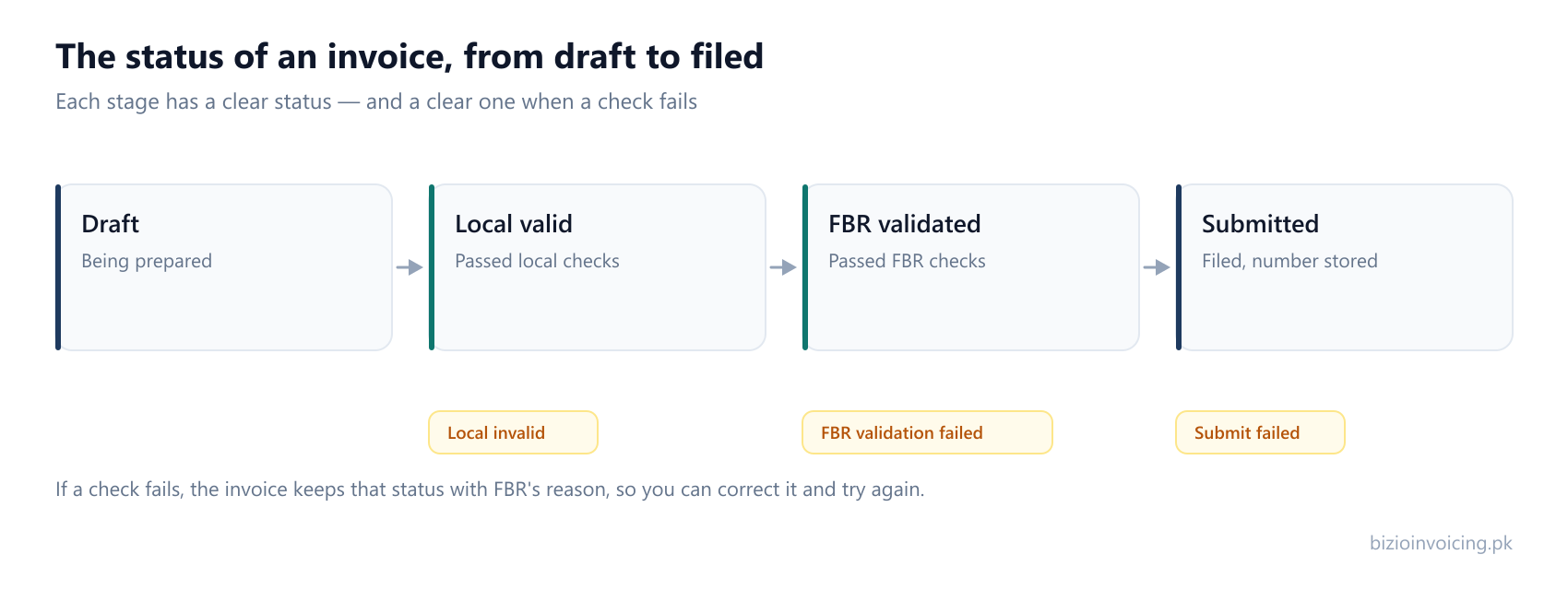
Knowing where every invoice stands
An invoice moves from a draft, through local and FBR validation, to submitted — and if a check fails, it holds a status that says so rather than silently disappearing. That means a list of invoices is also a to-do list: the ones that need attention are the ones whose status says a check did not pass, and they keep FBR's reason attached so you know what to fix.
A submission history you can rely on
Every invoice you send is kept with its status and the response FBR returned, including the number FBR assigned it. That record is the proof of what was filed, when, and under which number — the thing you actually need if a filing is ever queried, and the thing that is painful to reconstruct if it was never kept in the first place.
Customers and products, kept once
Good invoice management is also about not re-entering the same information. Saved customers hold a buyer's registration details and province; saved products hold an item's code, unit and rate. Beyond saving time, this is what keeps your records consistent — the same buyer is filed the same way every time, which is exactly what stops small discrepancies turning into refused invoices.
How Bizio Invoicing handles it
Bizio Invoicing is independent invoicing software that keeps all of this in one place: the status of every invoice, the full submission history with FBR's response, and your saved customers and products. On the Premium plan, advanced filters narrow invoices by status, document type and period, so the ones that need attention are quick to find.
For how those invoices get created and checked in the first place, see how it works; for filing many at once, see bulk upload from Excel.
Read next
What Bizio Invoicing does
The full feature set — invoice form, validation, batch filing, saved records and history.
Automating your invoicing
How saved records and batch upload cut the manual work out of day-to-day invoicing.
How it works
From requesting an account to filing and keeping your first invoice, step by step.
Ready to file your first invoice?
Tell us your business name and registration number and we will set up your account. You start in sandbox mode, so nothing is filed for real until you are ready to switch to production.
WhatsApp +92 339 4453223 · bizio.official1@gmail.com