FBR Digital Invoicing Sandbox Scenario IDs
Find FBR sandbox scenarios SN001–SN028, their official sale types and business activity mappings. Learn how to select, validate and review a sandbox test in Bizio.
Information checked:
Based on the API specification v1.12 (updated 24 July 2025) and User Manual v1.5 currently linked by FBR. Bizio provides this guide as a convenience for users working with FBR Digital Invoicing. Bizio is independent of FBR and PRAL; this is not an official testing portal.
Check FBR Technical Assistance for newer documentation. Requirements may change; verify your assigned tests and the latest official guidance.
What the FBR sandbox is
The sandbox is FBR's integration testing environment. The official user manual describes scenario-based tests assigned according to the Business Nature and Sector selected in the FBR integration setup. Use the sandbox token and environment for those tests; production is for actual invoice reporting.
Scenario ID, sale type and buyer type are different
- scenarioId: one sandbox test identifier at invoice-header level, such as SN001. The technical specification's sandbox JSON includes it; the production sample omits it. Bizio omits it from production requests.
- saleType: a field on each invoice item. SN001 and SN002 share a sale type, while their buyer scope differs. The section 9 column denotes a purchase type for SN009.
- buyerRegistrationType: a separate buyer field. Choosing a scenario does not establish the buyer's registration or change the invoice's line classifications.
- invoiceType: a separate document field. It is not the scenario ID or the item sale type. Bizio's new-invoice form currently creates Sale Invoices.
These distinctions follow technical specification section 4 and the scenario mapping in section 9. The table's typography sometimes differs from the sample payloads; use Bizio's current FBR reference options when filling actual fields.
Complete FBR sandbox scenario list
All 28 scenarios in section 9 of v1.12. Search an ID, sale type or sector, then narrow by your business activity. These results are reference matches, not confirmation of the tests assigned to your FBR profile.
28 of 28 scenarios
FBR scenario ID and sale type mapping
| ID | Official description | Sale type (purchase type for SN009) |
|---|---|---|
| SN001 | Goods at standard rate to registered buyers | Goods at Standard Rate (default) |
| SN002 | Goods at standard rate to unregistered buyers | Goods at Standard Rate (default) |
| SN003 | Sale of Steel (Melted and Re-Rolled) | Steel Melting and re-rolling |
| SN004 | Sale by Ship Breakers | Ship breaking |
| SN005 | Reduced rate sale | Goods at Reduced Rate |
| SN006 | Exempt goods sale | Exempt Goods |
| SN007 | Zero rated sale | Goods at zero-rate |
| SN008 | Sale of 3rd schedule goods | 3rd Schedule Goods |
| SN009 | Cotton Spinners purchase from Cotton Ginners (Textile Sector) | Cotton Ginners |
| SN010 | Telecom services rendered or provided | Telecommunication services |
| SN011 | Toll Manufacturing sale by Steel sector | Toll Manufacturing |
| SN012 | Sale of Petroleum products | Petroleum Products |
| SN013 | Electricity Supply to Retailers | Electricity Supply to Retailers |
| SN014 | Sale of Gas to CNG stations | Gas to CNG stations |
| SN015 | Sale of mobile phones | Mobile Phones |
| SN016 | Processing / Conversion of Goods | Processing/ Conversion of Goods |
| SN017 | Sale of Goods where FED is charged in ST mode | Goods (FED in ST Mode) |
| SN018 | Services rendered or provided where FED is charged in ST mode | Services (FED in ST Mode) |
| SN019 | Services rendered or provided | Services |
| SN020 | Sale of Electric Vehicles | Electric Vehicle |
| SN021 | Sale of Cement /Concrete Block | Cement /Concrete Block |
| SN022 | Sale of Potassium Chlorate | Potassium Chlorate |
| SN023 | Sale of CNG | CNG Sales |
| SN024 | Goods sold that are listed in SRO 297(1)/2023 | Goods as per SRO.297(|)/2023 |
| SN025 | Drugs sold at fixed ST rate under serial 81 of Eighth Schedule Table 1 | Non-Adjustable Supplies |
| SN026 | Sale to End Consumer by retailers | Goods at Standard Rate (default) |
| SN027 | Sale to End Consumer by retailers | 3rd Schedule Goods |
| SN028 | Sale to End Consumer by retailers | Goods at Reduced Rate |
Source: API specification v1.12, section 9, page 46. Spelling and capitalization follow that table, including SN024's unusual SRO label. In Bizio, use the current reference options for actual invoice fields.
Scenario details and Bizio guidance
Expand a scenario for its documented scope and practical checks. The official description states what is being tested; Bizio examples below are fictional task illustrations, not official sample JSON or tax advice.
SN001Goods at standard rate to registered buyers
- Official sale / purchase type
- Goods at Standard Rate (default)
- Buyer scope
- Registered buyers (section 9).
- Invoice conditions
- The transaction must match the scenario description above. Additional scenario-specific conditions: Not specified in the referenced FBR/PRAL documentation.
- Tax / SRO reference in section 9
- Not specified in the referenced FBR/PRAL documentation.
Complete scenario-specific field and condition matrix: Not specified in the referenced FBR/PRAL documentation. Section 9 does not provide one. Refer to the separate field and reference API guide and your assigned test data.
Official sample, not a universal prescription: Section 4.1.1's SN001 sandbox JSON uses buyerRegistrationType “Registered”, HS code “0101.2100”, UOM “Numbers, pieces, units”, rate “18%”, quantity 1.0000, value excluding sales tax 1000.00 and sales tax 180.00. Its saleType is “Goods at standard rate (default)”. These are selected fields from the official sample on pages 7–8, not a complete payload or values to copy to every standard-rate test. Seller/buyer registration identifiers there are placeholders.
Fictional Bizio example: A demo business with this test assigned prepares a sandbox record for “Goods at standard rate to registered buyers”. It checks the corresponding type “Goods at Standard Rate (default)” before testing. No example registration numbers, product classifications or tax amounts are supplied.
Mistake to avoid (Bizio guidance): Confusing a registered-buyer standard-rate test with SN002 or a retailer end-consumer test.
Using Bizio: Check the activity/sector mapping and your assigned FBR tests, then select this ID in Bizio's Sandbox Scenario field. Selecting it does not fill the line sale type, HS code, UOM or rate.
Business activity / sector combinations (57)
- Manufacturer · All Other Sectors row 1, p. 47
- Manufacturer · FMCG row 3, p. 47
- Manufacturer · Textile row 4, p. 47
- Manufacturer · Telecom row 5, p. 47
- Manufacturer · Petroleum row 6, p. 47
- Manufacturer · Electricity Distribution row 7, p. 47
- Manufacturer · Gas Distribution row 8, p. 47
- Manufacturer · Services row 9, p. 47
- Manufacturer · Automobile row 10, p. 47
- Manufacturer · CNG Stations row 11, p. 47
- Manufacturer · Pharmaceuticals row 12, p. 47
- Manufacturer · Wholesale / Retails row 13, p. 47
- Importer · All Other Sectors row 16, p. 47
- Importer · Steel row 17, p. 47
- Importer · FMCG row 18, p. 47
- Importer · Textile row 19, p. 47
- Importer · Telecom row 20, p. 47
- Importer · Petroleum row 21, p. 47
- Importer · Electricity Distribution row 22, p. 47
- Importer · Gas Distribution row 23, p. 47
- Importer · Services row 24, p. 48
- Importer · Automobile row 25, p. 48
- Importer · CNG Stations row 26, p. 48
- Importer · Pharmaceuticals row 27, p. 48
- Importer · Wholesale / Retails row 28, p. 48
- Distributor · All Other Sectors row 31, p. 48
- Distributor · Wholesale / Retails row 43, p. 48
- Wholesaler · All Other Sectors row 46, p. 48
- Wholesaler · Wholesale / Retails row 58, p. 48
- Exporter · All Other Sectors row 61, p. 48
- Exporter · Steel row 62, p. 49
- Exporter · FMCG row 63, p. 49
- Exporter · Textile row 64, p. 49
- Exporter · Telecom row 65, p. 49
- Exporter · Petroleum row 66, p. 49
- Exporter · Electricity Distribution row 67, p. 49
- Exporter · Gas Distribution row 68, p. 49
- Exporter · Services row 69, p. 49
- Exporter · Automobile row 70, p. 49
- Exporter · CNG Stations row 71, p. 49
- Exporter · Pharmaceuticals row 72, p. 49
- Exporter · Wholesale / Retails row 73, p. 49
- Retailer · All Other Sectors row 76, p. 49
- Service Provider · All Other Sectors row 91, p. 49
- Other · All Other Sectors row 106, p. 50
- Other · Steel row 107, p. 50
- Other · FMCG row 108, p. 50
- Other · Textile row 109, p. 50
- Other · Telecom row 110, p. 50
- Other · Petroleum row 111, p. 50
- Other · Electricity Distribution row 112, p. 50
- Other · Gas Distribution row 113, p. 50
- Other · Services row 114, p. 50
- Other · Automobile row 115, p. 50
- Other · CNG Stations row 116, p. 50
- Other · Pharmaceuticals row 117, p. 51
- Other · Wholesale / Retails row 118, p. 51
SN002Goods at standard rate to unregistered buyers
- Official sale / purchase type
- Goods at Standard Rate (default)
- Buyer scope
- Unregistered buyers (section 9).
- Invoice conditions
- The transaction must match the scenario description above. Additional scenario-specific conditions: Not specified in the referenced FBR/PRAL documentation.
- Tax / SRO reference in section 9
- Not specified in the referenced FBR/PRAL documentation.
Complete scenario-specific field and condition matrix: Not specified in the referenced FBR/PRAL documentation. Section 9 does not provide one. Refer to the separate field and reference API guide and your assigned test data.
Fictional Bizio example: A demo business with this test assigned prepares a sandbox record for “Goods at standard rate to unregistered buyers”. It checks the corresponding type “Goods at Standard Rate (default)” before testing. No example registration numbers, product classifications or tax amounts are supplied.
Mistake to avoid (Bizio guidance): Changing a registered customer's type merely to run SN002, or treating all unregistered sales as SN026.
Using Bizio: Check the activity/sector mapping and your assigned FBR tests, then select this ID in Bizio's Sandbox Scenario field. Selecting it does not fill the line sale type, HS code, UOM or rate.
Business activity / sector combinations (57)
- Manufacturer · All Other Sectors row 1, p. 47
- Manufacturer · FMCG row 3, p. 47
- Manufacturer · Textile row 4, p. 47
- Manufacturer · Telecom row 5, p. 47
- Manufacturer · Petroleum row 6, p. 47
- Manufacturer · Electricity Distribution row 7, p. 47
- Manufacturer · Gas Distribution row 8, p. 47
- Manufacturer · Services row 9, p. 47
- Manufacturer · Automobile row 10, p. 47
- Manufacturer · CNG Stations row 11, p. 47
- Manufacturer · Pharmaceuticals row 12, p. 47
- Manufacturer · Wholesale / Retails row 13, p. 47
- Importer · All Other Sectors row 16, p. 47
- Importer · Steel row 17, p. 47
- Importer · FMCG row 18, p. 47
- Importer · Textile row 19, p. 47
- Importer · Telecom row 20, p. 47
- Importer · Petroleum row 21, p. 47
- Importer · Electricity Distribution row 22, p. 47
- Importer · Gas Distribution row 23, p. 47
- Importer · Services row 24, p. 48
- Importer · Automobile row 25, p. 48
- Importer · CNG Stations row 26, p. 48
- Importer · Pharmaceuticals row 27, p. 48
- Importer · Wholesale / Retails row 28, p. 48
- Distributor · All Other Sectors row 31, p. 48
- Distributor · Wholesale / Retails row 43, p. 48
- Wholesaler · All Other Sectors row 46, p. 48
- Wholesaler · Wholesale / Retails row 58, p. 48
- Exporter · All Other Sectors row 61, p. 48
- Exporter · Steel row 62, p. 49
- Exporter · FMCG row 63, p. 49
- Exporter · Textile row 64, p. 49
- Exporter · Telecom row 65, p. 49
- Exporter · Petroleum row 66, p. 49
- Exporter · Electricity Distribution row 67, p. 49
- Exporter · Gas Distribution row 68, p. 49
- Exporter · Services row 69, p. 49
- Exporter · Automobile row 70, p. 49
- Exporter · CNG Stations row 71, p. 49
- Exporter · Pharmaceuticals row 72, p. 49
- Exporter · Wholesale / Retails row 73, p. 49
- Retailer · All Other Sectors row 76, p. 49
- Service Provider · All Other Sectors row 91, p. 49
- Other · All Other Sectors row 106, p. 50
- Other · Steel row 107, p. 50
- Other · FMCG row 108, p. 50
- Other · Textile row 109, p. 50
- Other · Telecom row 110, p. 50
- Other · Petroleum row 111, p. 50
- Other · Electricity Distribution row 112, p. 50
- Other · Gas Distribution row 113, p. 50
- Other · Services row 114, p. 50
- Other · Automobile row 115, p. 50
- Other · CNG Stations row 116, p. 50
- Other · Pharmaceuticals row 117, p. 51
- Other · Wholesale / Retails row 118, p. 51
SN003Sale of Steel (Melted and Re-Rolled)
- Official sale / purchase type
- Steel Melting and re-rolling
- Buyer scope
- Not specified in the referenced FBR/PRAL documentation.
- Invoice conditions
- The transaction must match the scenario description above. Additional scenario-specific conditions: Not specified in the referenced FBR/PRAL documentation.
- Tax / SRO reference in section 9
- Not specified in the referenced FBR/PRAL documentation.
Complete scenario-specific field and condition matrix: Not specified in the referenced FBR/PRAL documentation. Section 9 does not provide one. Refer to the separate field and reference API guide and your assigned test data.
Fictional Bizio example: A demo business with this test assigned prepares a sandbox record for “Sale of Steel (Melted and Re-Rolled)”. It checks the corresponding type “Steel Melting and re-rolling” before testing. No example registration numbers, product classifications or tax amounts are supplied.
Mistake to avoid (Bizio guidance): Choosing the ID from a product name alone without checking the official activity/sector row and the separate line sale type.
Using Bizio: Check the activity/sector mapping and your assigned FBR tests, then select this ID in Bizio's Sandbox Scenario field. Selecting it does not fill the line sale type, HS code, UOM or rate.
Business activity / sector combinations (8)
- Manufacturer · Steel row 2, p. 47
- Importer · Steel row 17, p. 47
- Distributor · Steel row 32, p. 48
- Wholesaler · Steel row 47, p. 48
- Exporter · Steel row 62, p. 49
- Retailer · Steel row 77, p. 49
- Service Provider · Steel row 92, p. 49
- Other · Steel row 107, p. 50
SN004Sale by Ship Breakers
- Official sale / purchase type
- Ship breaking
- Buyer scope
- Not specified in the referenced FBR/PRAL documentation.
- Invoice conditions
- The transaction must match the scenario description above. Additional scenario-specific conditions: Not specified in the referenced FBR/PRAL documentation.
- Tax / SRO reference in section 9
- Not specified in the referenced FBR/PRAL documentation.
Complete scenario-specific field and condition matrix: Not specified in the referenced FBR/PRAL documentation. Section 9 does not provide one. Refer to the separate field and reference API guide and your assigned test data.
Fictional Bizio example: A demo business with this test assigned prepares a sandbox record for “Sale by Ship Breakers”. It checks the corresponding type “Ship breaking” before testing. No example registration numbers, product classifications or tax amounts are supplied.
Mistake to avoid (Bizio guidance): Choosing the ID from a product name alone without checking the official activity/sector row and the separate line sale type.
Using Bizio: Check the activity/sector mapping and your assigned FBR tests, then select this ID in Bizio's Sandbox Scenario field. Selecting it does not fill the line sale type, HS code, UOM or rate.
Business activity / sector combinations (8)
- Manufacturer · Steel row 2, p. 47
- Importer · Steel row 17, p. 47
- Distributor · Steel row 32, p. 48
- Wholesaler · Steel row 47, p. 48
- Exporter · Steel row 62, p. 49
- Retailer · Steel row 77, p. 49
- Service Provider · Steel row 92, p. 49
- Other · Steel row 107, p. 50
SN005Reduced rate sale
- Official sale / purchase type
- Goods at Reduced Rate
- Buyer scope
- Not specified in the referenced FBR/PRAL documentation.
- Invoice conditions
- The transaction must match the scenario description above. Additional scenario-specific conditions: Not specified in the referenced FBR/PRAL documentation.
- Tax / SRO reference in section 9
- Not specified in the referenced FBR/PRAL documentation.
Complete scenario-specific field and condition matrix: Not specified in the referenced FBR/PRAL documentation. Section 9 does not provide one. Refer to the separate field and reference API guide and your assigned test data.
Fictional Bizio example: A demo business with this test assigned prepares a sandbox record for “Reduced rate sale”. It checks the corresponding type “Goods at Reduced Rate” before testing. No example registration numbers, product classifications or tax amounts are supplied.
Mistake to avoid (Bizio guidance): Choosing the ID from a product name alone without checking the official activity/sector row and the separate line sale type.
Using Bizio: Check the activity/sector mapping and your assigned FBR tests, then select this ID in Bizio's Sandbox Scenario field. Selecting it does not fill the line sale type, HS code, UOM or rate.
Business activity / sector combinations (55)
- Manufacturer · All Other Sectors row 1, p. 47
- Manufacturer · FMCG row 3, p. 47
- Manufacturer · Textile row 4, p. 47
- Manufacturer · Telecom row 5, p. 47
- Manufacturer · Petroleum row 6, p. 47
- Manufacturer · Electricity Distribution row 7, p. 47
- Manufacturer · Gas Distribution row 8, p. 47
- Manufacturer · Services row 9, p. 47
- Manufacturer · Automobile row 10, p. 47
- Manufacturer · CNG Stations row 11, p. 47
- Manufacturer · Pharmaceuticals row 12, p. 47
- Manufacturer · Wholesale / Retails row 13, p. 47
- Importer · All Other Sectors row 16, p. 47
- Importer · Steel row 17, p. 47
- Importer · FMCG row 18, p. 47
- Importer · Textile row 19, p. 47
- Importer · Telecom row 20, p. 47
- Importer · Petroleum row 21, p. 47
- Importer · Electricity Distribution row 22, p. 47
- Importer · Gas Distribution row 23, p. 47
- Importer · Services row 24, p. 48
- Importer · Automobile row 25, p. 48
- Importer · CNG Stations row 26, p. 48
- Importer · Pharmaceuticals row 27, p. 48
- Importer · Wholesale / Retails row 28, p. 48
- Distributor · All Other Sectors row 31, p. 48
- Wholesaler · All Other Sectors row 46, p. 48
- Exporter · All Other Sectors row 61, p. 48
- Exporter · Steel row 62, p. 49
- Exporter · FMCG row 63, p. 49
- Exporter · Textile row 64, p. 49
- Exporter · Telecom row 65, p. 49
- Exporter · Petroleum row 66, p. 49
- Exporter · Electricity Distribution row 67, p. 49
- Exporter · Gas Distribution row 68, p. 49
- Exporter · Services row 69, p. 49
- Exporter · Automobile row 70, p. 49
- Exporter · CNG Stations row 71, p. 49
- Exporter · Pharmaceuticals row 72, p. 49
- Exporter · Wholesale / Retails row 73, p. 49
- Retailer · All Other Sectors row 76, p. 49
- Service Provider · All Other Sectors row 91, p. 49
- Other · All Other Sectors row 106, p. 50
- Other · Steel row 107, p. 50
- Other · FMCG row 108, p. 50
- Other · Textile row 109, p. 50
- Other · Telecom row 110, p. 50
- Other · Petroleum row 111, p. 50
- Other · Electricity Distribution row 112, p. 50
- Other · Gas Distribution row 113, p. 50
- Other · Services row 114, p. 50
- Other · Automobile row 115, p. 50
- Other · CNG Stations row 116, p. 50
- Other · Pharmaceuticals row 117, p. 51
- Other · Wholesale / Retails row 118, p. 51
SN006Exempt goods sale
- Official sale / purchase type
- Exempt Goods
- Buyer scope
- Not specified in the referenced FBR/PRAL documentation.
- Invoice conditions
- The transaction must match the scenario description above. Additional scenario-specific conditions: Not specified in the referenced FBR/PRAL documentation.
- Tax / SRO reference in section 9
- Not specified in the referenced FBR/PRAL documentation.
Complete scenario-specific field and condition matrix: Not specified in the referenced FBR/PRAL documentation. Section 9 does not provide one. Refer to the separate field and reference API guide and your assigned test data.
Fictional Bizio example: A demo business with this test assigned prepares a sandbox record for “Exempt goods sale”. It checks the corresponding type “Exempt Goods” before testing. No example registration numbers, product classifications or tax amounts are supplied.
Mistake to avoid (Bizio guidance): Choosing the ID from a product name alone without checking the official activity/sector row and the separate line sale type.
Using Bizio: Check the activity/sector mapping and your assigned FBR tests, then select this ID in Bizio's Sandbox Scenario field. Selecting it does not fill the line sale type, HS code, UOM or rate.
Business activity / sector combinations (55)
- Manufacturer · All Other Sectors row 1, p. 47
- Manufacturer · FMCG row 3, p. 47
- Manufacturer · Textile row 4, p. 47
- Manufacturer · Telecom row 5, p. 47
- Manufacturer · Petroleum row 6, p. 47
- Manufacturer · Electricity Distribution row 7, p. 47
- Manufacturer · Gas Distribution row 8, p. 47
- Manufacturer · Services row 9, p. 47
- Manufacturer · Automobile row 10, p. 47
- Manufacturer · CNG Stations row 11, p. 47
- Manufacturer · Pharmaceuticals row 12, p. 47
- Manufacturer · Wholesale / Retails row 13, p. 47
- Importer · All Other Sectors row 16, p. 47
- Importer · Steel row 17, p. 47
- Importer · FMCG row 18, p. 47
- Importer · Textile row 19, p. 47
- Importer · Telecom row 20, p. 47
- Importer · Petroleum row 21, p. 47
- Importer · Electricity Distribution row 22, p. 47
- Importer · Gas Distribution row 23, p. 47
- Importer · Services row 24, p. 48
- Importer · Automobile row 25, p. 48
- Importer · CNG Stations row 26, p. 48
- Importer · Pharmaceuticals row 27, p. 48
- Importer · Wholesale / Retails row 28, p. 48
- Distributor · All Other Sectors row 31, p. 48
- Wholesaler · All Other Sectors row 46, p. 48
- Exporter · All Other Sectors row 61, p. 48
- Exporter · Steel row 62, p. 49
- Exporter · FMCG row 63, p. 49
- Exporter · Textile row 64, p. 49
- Exporter · Telecom row 65, p. 49
- Exporter · Petroleum row 66, p. 49
- Exporter · Electricity Distribution row 67, p. 49
- Exporter · Gas Distribution row 68, p. 49
- Exporter · Services row 69, p. 49
- Exporter · Automobile row 70, p. 49
- Exporter · CNG Stations row 71, p. 49
- Exporter · Pharmaceuticals row 72, p. 49
- Exporter · Wholesale / Retails row 73, p. 49
- Retailer · All Other Sectors row 76, p. 49
- Service Provider · All Other Sectors row 91, p. 49
- Other · All Other Sectors row 106, p. 50
- Other · Steel row 107, p. 50
- Other · FMCG row 108, p. 50
- Other · Textile row 109, p. 50
- Other · Telecom row 110, p. 50
- Other · Petroleum row 111, p. 50
- Other · Electricity Distribution row 112, p. 50
- Other · Gas Distribution row 113, p. 50
- Other · Services row 114, p. 50
- Other · Automobile row 115, p. 50
- Other · CNG Stations row 116, p. 50
- Other · Pharmaceuticals row 117, p. 51
- Other · Wholesale / Retails row 118, p. 51
SN007Zero rated sale
- Official sale / purchase type
- Goods at zero-rate
- Buyer scope
- Not specified in the referenced FBR/PRAL documentation.
- Invoice conditions
- The transaction must match the scenario description above. Additional scenario-specific conditions: Not specified in the referenced FBR/PRAL documentation.
- Tax / SRO reference in section 9
- Not specified in the referenced FBR/PRAL documentation.
Complete scenario-specific field and condition matrix: Not specified in the referenced FBR/PRAL documentation. Section 9 does not provide one. Refer to the separate field and reference API guide and your assigned test data.
Fictional Bizio example: A demo business with this test assigned prepares a sandbox record for “Zero rated sale”. It checks the corresponding type “Goods at zero-rate” before testing. No example registration numbers, product classifications or tax amounts are supplied.
Mistake to avoid (Bizio guidance): Choosing the ID from a product name alone without checking the official activity/sector row and the separate line sale type.
Using Bizio: Check the activity/sector mapping and your assigned FBR tests, then select this ID in Bizio's Sandbox Scenario field. Selecting it does not fill the line sale type, HS code, UOM or rate.
Business activity / sector combinations (55)
- Manufacturer · All Other Sectors row 1, p. 47
- Manufacturer · FMCG row 3, p. 47
- Manufacturer · Textile row 4, p. 47
- Manufacturer · Telecom row 5, p. 47
- Manufacturer · Petroleum row 6, p. 47
- Manufacturer · Electricity Distribution row 7, p. 47
- Manufacturer · Gas Distribution row 8, p. 47
- Manufacturer · Services row 9, p. 47
- Manufacturer · Automobile row 10, p. 47
- Manufacturer · CNG Stations row 11, p. 47
- Manufacturer · Pharmaceuticals row 12, p. 47
- Manufacturer · Wholesale / Retails row 13, p. 47
- Importer · All Other Sectors row 16, p. 47
- Importer · Steel row 17, p. 47
- Importer · FMCG row 18, p. 47
- Importer · Textile row 19, p. 47
- Importer · Telecom row 20, p. 47
- Importer · Petroleum row 21, p. 47
- Importer · Electricity Distribution row 22, p. 47
- Importer · Gas Distribution row 23, p. 47
- Importer · Services row 24, p. 48
- Importer · Automobile row 25, p. 48
- Importer · CNG Stations row 26, p. 48
- Importer · Pharmaceuticals row 27, p. 48
- Importer · Wholesale / Retails row 28, p. 48
- Distributor · All Other Sectors row 31, p. 48
- Wholesaler · All Other Sectors row 46, p. 48
- Exporter · All Other Sectors row 61, p. 48
- Exporter · Steel row 62, p. 49
- Exporter · FMCG row 63, p. 49
- Exporter · Textile row 64, p. 49
- Exporter · Telecom row 65, p. 49
- Exporter · Petroleum row 66, p. 49
- Exporter · Electricity Distribution row 67, p. 49
- Exporter · Gas Distribution row 68, p. 49
- Exporter · Services row 69, p. 49
- Exporter · Automobile row 70, p. 49
- Exporter · CNG Stations row 71, p. 49
- Exporter · Pharmaceuticals row 72, p. 49
- Exporter · Wholesale / Retails row 73, p. 49
- Retailer · All Other Sectors row 76, p. 49
- Service Provider · All Other Sectors row 91, p. 49
- Other · All Other Sectors row 106, p. 50
- Other · Steel row 107, p. 50
- Other · FMCG row 108, p. 50
- Other · Textile row 109, p. 50
- Other · Telecom row 110, p. 50
- Other · Petroleum row 111, p. 50
- Other · Electricity Distribution row 112, p. 50
- Other · Gas Distribution row 113, p. 50
- Other · Services row 114, p. 50
- Other · Automobile row 115, p. 50
- Other · CNG Stations row 116, p. 50
- Other · Pharmaceuticals row 117, p. 51
- Other · Wholesale / Retails row 118, p. 51
SN008Sale of 3rd schedule goods
- Official sale / purchase type
- 3rd Schedule Goods
- Buyer scope
- Not specified in the referenced FBR/PRAL documentation.
- Invoice conditions
- The transaction must match the scenario description above. Additional scenario-specific conditions: Not specified in the referenced FBR/PRAL documentation.
- Tax / SRO reference in section 9
- The type identifies 3rd Schedule goods. The scenario row does not specify an individual schedule item or rate.
Complete scenario-specific field and condition matrix: Not specified in the referenced FBR/PRAL documentation. Section 9 does not provide one. Refer to the separate field and reference API guide and your assigned test data.
Fictional Bizio example: A demo business with this test assigned prepares a sandbox record for “Sale of 3rd schedule goods”. It checks the corresponding type “3rd Schedule Goods” before testing. No example registration numbers, product classifications or tax amounts are supplied.
Mistake to avoid (Bizio guidance): Choosing the ID from a product name alone without checking the official activity/sector row and the separate line sale type.
Using Bizio: Check the activity/sector mapping and your assigned FBR tests, then select this ID in Bizio's Sandbox Scenario field. Selecting it does not fill the line sale type, HS code, UOM or rate.
Business activity / sector combinations (48)
- Manufacturer · FMCG row 3, p. 47
- Manufacturer · Wholesale / Retails row 13, p. 47
- Importer · FMCG row 18, p. 47
- Importer · Wholesale / Retails row 28, p. 48
- Distributor · All Other Sectors row 31, p. 48
- Distributor · Steel row 32, p. 48
- Distributor · FMCG row 33, p. 48
- Distributor · Textile row 34, p. 48
- Distributor · Telecom row 35, p. 48
- Distributor · Petroleum row 36, p. 48
- Distributor · Electricity Distribution row 37, p. 48
- Distributor · Gas Distribution row 38, p. 48
- Distributor · Services row 39, p. 48
- Distributor · Automobile row 40, p. 48
- Distributor · CNG Stations row 41, p. 48
- Distributor · Pharmaceuticals row 42, p. 48
- Distributor · Wholesale / Retails row 43, p. 48
- Wholesaler · All Other Sectors row 46, p. 48
- Wholesaler · Steel row 47, p. 48
- Wholesaler · FMCG row 48, p. 48
- Wholesaler · Textile row 49, p. 48
- Wholesaler · Telecom row 50, p. 48
- Wholesaler · Petroleum row 51, p. 48
- Wholesaler · Electricity Distribution row 52, p. 48
- Wholesaler · Gas Distribution row 53, p. 48
- Wholesaler · Services row 54, p. 48
- Wholesaler · Automobile row 55, p. 48
- Wholesaler · CNG Stations row 56, p. 48
- Wholesaler · Pharmaceuticals row 57, p. 48
- Wholesaler · Wholesale / Retails row 58, p. 48
- Exporter · FMCG row 63, p. 49
- Exporter · Wholesale / Retails row 73, p. 49
- Retailer · All Other Sectors row 76, p. 49
- Retailer · FMCG row 78, p. 49
- Retailer · Textile row 79, p. 49
- Retailer · Telecom row 80, p. 49
- Retailer · Petroleum row 81, p. 49
- Retailer · Electricity Distribution row 82, p. 49
- Retailer · Gas Distribution row 83, p. 49
- Retailer · Services row 84, p. 49
- Retailer · Automobile row 85, p. 49
- Retailer · CNG Stations row 86, p. 49
- Retailer · Pharmaceuticals row 87, p. 49
- Retailer · Wholesale / Retails row 88, p. 49
- Service Provider · FMCG row 93, p. 50
- Service Provider · Wholesale / Retails row 103, p. 50
- Other · FMCG row 108, p. 50
- Other · Wholesale / Retails row 118, p. 51
SN009Cotton Spinners purchase from Cotton Ginners (Textile Sector)
- Official sale / purchase type
- Cotton Ginners
- Buyer scope
- Cotton spinners are the purchasers in section 9. A scenario-specific buyerRegistrationType value: Not specified in the referenced FBR/PRAL documentation.
- Invoice conditions
- This is a cotton spinner's purchase from a cotton ginner in the textile sector, not a generic textile sale (section 9).
- Tax / SRO reference in section 9
- Not specified in the referenced FBR/PRAL documentation.
Complete scenario-specific field and condition matrix: Not specified in the referenced FBR/PRAL documentation. Section 9 does not provide one. Refer to the separate field and reference API guide and your assigned test data.
Fictional Bizio example: A demo business with this test assigned prepares a sandbox record for “Cotton Spinners purchase from Cotton Ginners (Textile Sector)”. It checks the corresponding type “Cotton Ginners” before testing. No example registration numbers, product classifications or tax amounts are supplied.
Mistake to avoid (Bizio guidance): Treating every textile transaction as SN009 or substituting a sales invoice for the documented purchase case.
Using Bizio: Bizio's inspected invoice form creates sales invoices; it has no dedicated purchase workflow. This reference entry does not establish support for completing SN009 in that form. Confirm the appropriate purchase testing route with your integrator.
Business activity / sector combinations (8)
- Manufacturer · Textile row 4, p. 47
- Importer · Textile row 19, p. 47
- Distributor · Textile row 34, p. 48
- Wholesaler · Textile row 49, p. 48
- Exporter · Textile row 64, p. 49
- Retailer · Textile row 79, p. 49
- Service Provider · Textile row 94, p. 50
- Other · Textile row 109, p. 50
SN010Telecom services rendered or provided
- Official sale / purchase type
- Telecommunication services
- Buyer scope
- Not specified in the referenced FBR/PRAL documentation.
- Invoice conditions
- The transaction must match the scenario description above. Additional scenario-specific conditions: Not specified in the referenced FBR/PRAL documentation.
- Tax / SRO reference in section 9
- Not specified in the referenced FBR/PRAL documentation.
Complete scenario-specific field and condition matrix: Not specified in the referenced FBR/PRAL documentation. Section 9 does not provide one. Refer to the separate field and reference API guide and your assigned test data.
Fictional Bizio example: A demo business with this test assigned prepares a sandbox record for “Telecom services rendered or provided”. It checks the corresponding type “Telecommunication services” before testing. No example registration numbers, product classifications or tax amounts are supplied.
Mistake to avoid (Bizio guidance): Choosing the ID from a product name alone without checking the official activity/sector row and the separate line sale type.
Using Bizio: Check the activity/sector mapping and your assigned FBR tests, then select this ID in Bizio's Sandbox Scenario field. Selecting it does not fill the line sale type, HS code, UOM or rate.
Business activity / sector combinations (8)
- Manufacturer · Telecom row 5, p. 47
- Importer · Telecom row 20, p. 47
- Distributor · Telecom row 35, p. 48
- Wholesaler · Telecom row 50, p. 48
- Exporter · Telecom row 65, p. 49
- Retailer · Telecom row 80, p. 49
- Service Provider · Telecom row 95, p. 50
- Other · Telecom row 110, p. 50
SN011Toll Manufacturing sale by Steel sector
- Official sale / purchase type
- Toll Manufacturing
- Buyer scope
- Not specified in the referenced FBR/PRAL documentation.
- Invoice conditions
- The transaction must match the scenario description above. Additional scenario-specific conditions: Not specified in the referenced FBR/PRAL documentation.
- Tax / SRO reference in section 9
- Not specified in the referenced FBR/PRAL documentation.
Complete scenario-specific field and condition matrix: Not specified in the referenced FBR/PRAL documentation. Section 9 does not provide one. Refer to the separate field and reference API guide and your assigned test data.
Fictional Bizio example: A demo business with this test assigned prepares a sandbox record for “Toll Manufacturing sale by Steel sector”. It checks the corresponding type “Toll Manufacturing” before testing. No example registration numbers, product classifications or tax amounts are supplied.
Mistake to avoid (Bizio guidance): Choosing the ID from a product name alone without checking the official activity/sector row and the separate line sale type.
Using Bizio: Check the activity/sector mapping and your assigned FBR tests, then select this ID in Bizio's Sandbox Scenario field. Selecting it does not fill the line sale type, HS code, UOM or rate.
Business activity / sector combinations (8)
- Manufacturer · Steel row 2, p. 47
- Importer · Steel row 17, p. 47
- Distributor · Steel row 32, p. 48
- Wholesaler · Steel row 47, p. 48
- Exporter · Steel row 62, p. 49
- Retailer · Steel row 77, p. 49
- Service Provider · Steel row 92, p. 49
- Other · Steel row 107, p. 50
SN012Sale of Petroleum products
- Official sale / purchase type
- Petroleum Products
- Buyer scope
- Not specified in the referenced FBR/PRAL documentation.
- Invoice conditions
- The transaction must match the scenario description above. Additional scenario-specific conditions: Not specified in the referenced FBR/PRAL documentation.
- Tax / SRO reference in section 9
- Not specified in the referenced FBR/PRAL documentation.
Complete scenario-specific field and condition matrix: Not specified in the referenced FBR/PRAL documentation. Section 9 does not provide one. Refer to the separate field and reference API guide and your assigned test data.
Fictional Bizio example: A demo business with this test assigned prepares a sandbox record for “Sale of Petroleum products”. It checks the corresponding type “Petroleum Products” before testing. No example registration numbers, product classifications or tax amounts are supplied.
Mistake to avoid (Bizio guidance): Choosing the ID from a product name alone without checking the official activity/sector row and the separate line sale type.
Using Bizio: Check the activity/sector mapping and your assigned FBR tests, then select this ID in Bizio's Sandbox Scenario field. Selecting it does not fill the line sale type, HS code, UOM or rate.
Business activity / sector combinations (8)
- Manufacturer · Petroleum row 6, p. 47
- Importer · Petroleum row 21, p. 47
- Distributor · Petroleum row 36, p. 48
- Wholesaler · Petroleum row 51, p. 48
- Exporter · Petroleum row 66, p. 49
- Retailer · Petroleum row 81, p. 49
- Service Provider · Petroleum row 96, p. 50
- Other · Petroleum row 111, p. 50
SN013Electricity Supply to Retailers
- Official sale / purchase type
- Electricity Supply to Retailers
- Buyer scope
- Not specified in the referenced FBR/PRAL documentation.
- Invoice conditions
- The transaction must match the scenario description above. Additional scenario-specific conditions: Not specified in the referenced FBR/PRAL documentation.
- Tax / SRO reference in section 9
- Not specified in the referenced FBR/PRAL documentation.
Complete scenario-specific field and condition matrix: Not specified in the referenced FBR/PRAL documentation. Section 9 does not provide one. Refer to the separate field and reference API guide and your assigned test data.
Fictional Bizio example: A demo business with this test assigned prepares a sandbox record for “Electricity Supply to Retailers”. It checks the corresponding type “Electricity Supply to Retailers” before testing. No example registration numbers, product classifications or tax amounts are supplied.
Mistake to avoid (Bizio guidance): Choosing the ID from a product name alone without checking the official activity/sector row and the separate line sale type.
Using Bizio: Check the activity/sector mapping and your assigned FBR tests, then select this ID in Bizio's Sandbox Scenario field. Selecting it does not fill the line sale type, HS code, UOM or rate.
Business activity / sector combinations (8)
- Manufacturer · Electricity Distribution row 7, p. 47
- Importer · Electricity Distribution row 22, p. 47
- Distributor · Electricity Distribution row 37, p. 48
- Wholesaler · Electricity Distribution row 52, p. 48
- Exporter · Electricity Distribution row 67, p. 49
- Retailer · Electricity Distribution row 82, p. 49
- Service Provider · Electricity Distribution row 97, p. 50
- Other · Electricity Distribution row 112, p. 50
SN014Sale of Gas to CNG stations
- Official sale / purchase type
- Gas to CNG stations
- Buyer scope
- Not specified in the referenced FBR/PRAL documentation.
- Invoice conditions
- The transaction must match the scenario description above. Additional scenario-specific conditions: Not specified in the referenced FBR/PRAL documentation.
- Tax / SRO reference in section 9
- Not specified in the referenced FBR/PRAL documentation.
Complete scenario-specific field and condition matrix: Not specified in the referenced FBR/PRAL documentation. Section 9 does not provide one. Refer to the separate field and reference API guide and your assigned test data.
Fictional Bizio example: A demo business with this test assigned prepares a sandbox record for “Sale of Gas to CNG stations”. It checks the corresponding type “Gas to CNG stations” before testing. No example registration numbers, product classifications or tax amounts are supplied.
Mistake to avoid (Bizio guidance): Choosing the ID from a product name alone without checking the official activity/sector row and the separate line sale type.
Using Bizio: Check the activity/sector mapping and your assigned FBR tests, then select this ID in Bizio's Sandbox Scenario field. Selecting it does not fill the line sale type, HS code, UOM or rate.
Business activity / sector combinations (8)
- Manufacturer · Gas Distribution row 8, p. 47
- Importer · Gas Distribution row 23, p. 47
- Distributor · Gas Distribution row 38, p. 48
- Wholesaler · Gas Distribution row 53, p. 48
- Exporter · Gas Distribution row 68, p. 49
- Retailer · Gas Distribution row 83, p. 49
- Service Provider · Gas Distribution row 98, p. 50
- Other · Gas Distribution row 113, p. 50
SN015Sale of mobile phones
- Official sale / purchase type
- Mobile Phones
- Buyer scope
- Not specified in the referenced FBR/PRAL documentation.
- Invoice conditions
- The transaction must match the scenario description above. Additional scenario-specific conditions: Not specified in the referenced FBR/PRAL documentation.
- Tax / SRO reference in section 9
- Not specified in the referenced FBR/PRAL documentation.
Complete scenario-specific field and condition matrix: Not specified in the referenced FBR/PRAL documentation. Section 9 does not provide one. Refer to the separate field and reference API guide and your assigned test data.
Fictional Bizio example: A demo business with this test assigned prepares a sandbox record for “Sale of mobile phones”. It checks the corresponding type “Mobile Phones” before testing. No example registration numbers, product classifications or tax amounts are supplied.
Mistake to avoid (Bizio guidance): Choosing the ID from a product name alone without checking the official activity/sector row and the separate line sale type.
Using Bizio: Check the activity/sector mapping and your assigned FBR tests, then select this ID in Bizio's Sandbox Scenario field. Selecting it does not fill the line sale type, HS code, UOM or rate.
Business activity / sector combinations (55)
- Manufacturer · All Other Sectors row 1, p. 47
- Manufacturer · FMCG row 3, p. 47
- Manufacturer · Textile row 4, p. 47
- Manufacturer · Telecom row 5, p. 47
- Manufacturer · Petroleum row 6, p. 47
- Manufacturer · Electricity Distribution row 7, p. 47
- Manufacturer · Gas Distribution row 8, p. 47
- Manufacturer · Services row 9, p. 47
- Manufacturer · Automobile row 10, p. 47
- Manufacturer · CNG Stations row 11, p. 47
- Manufacturer · Pharmaceuticals row 12, p. 47
- Manufacturer · Wholesale / Retails row 13, p. 47
- Importer · All Other Sectors row 16, p. 47
- Importer · Steel row 17, p. 47
- Importer · FMCG row 18, p. 47
- Importer · Textile row 19, p. 47
- Importer · Telecom row 20, p. 47
- Importer · Petroleum row 21, p. 47
- Importer · Electricity Distribution row 22, p. 47
- Importer · Gas Distribution row 23, p. 47
- Importer · Services row 24, p. 48
- Importer · Automobile row 25, p. 48
- Importer · CNG Stations row 26, p. 48
- Importer · Pharmaceuticals row 27, p. 48
- Importer · Wholesale / Retails row 28, p. 48
- Distributor · All Other Sectors row 31, p. 48
- Wholesaler · All Other Sectors row 46, p. 48
- Exporter · All Other Sectors row 61, p. 48
- Exporter · Steel row 62, p. 49
- Exporter · FMCG row 63, p. 49
- Exporter · Textile row 64, p. 49
- Exporter · Telecom row 65, p. 49
- Exporter · Petroleum row 66, p. 49
- Exporter · Electricity Distribution row 67, p. 49
- Exporter · Gas Distribution row 68, p. 49
- Exporter · Services row 69, p. 49
- Exporter · Automobile row 70, p. 49
- Exporter · CNG Stations row 71, p. 49
- Exporter · Pharmaceuticals row 72, p. 49
- Exporter · Wholesale / Retails row 73, p. 49
- Retailer · All Other Sectors row 76, p. 49
- Service Provider · All Other Sectors row 91, p. 49
- Other · All Other Sectors row 106, p. 50
- Other · Steel row 107, p. 50
- Other · FMCG row 108, p. 50
- Other · Textile row 109, p. 50
- Other · Telecom row 110, p. 50
- Other · Petroleum row 111, p. 50
- Other · Electricity Distribution row 112, p. 50
- Other · Gas Distribution row 113, p. 50
- Other · Services row 114, p. 50
- Other · Automobile row 115, p. 50
- Other · CNG Stations row 116, p. 50
- Other · Pharmaceuticals row 117, p. 51
- Other · Wholesale / Retails row 118, p. 51
SN016Processing / Conversion of Goods
- Official sale / purchase type
- Processing/ Conversion of Goods
- Buyer scope
- Not specified in the referenced FBR/PRAL documentation.
- Invoice conditions
- The transaction must match the scenario description above. Additional scenario-specific conditions: Not specified in the referenced FBR/PRAL documentation.
- Tax / SRO reference in section 9
- Not specified in the referenced FBR/PRAL documentation.
Complete scenario-specific field and condition matrix: Not specified in the referenced FBR/PRAL documentation. Section 9 does not provide one. Refer to the separate field and reference API guide and your assigned test data.
Fictional Bizio example: A demo business with this test assigned prepares a sandbox record for “Processing / Conversion of Goods”. It checks the corresponding type “Processing/ Conversion of Goods” before testing. No example registration numbers, product classifications or tax amounts are supplied.
Mistake to avoid (Bizio guidance): Choosing the ID from a product name alone without checking the official activity/sector row and the separate line sale type.
Using Bizio: Check the activity/sector mapping and your assigned FBR tests, then select this ID in Bizio's Sandbox Scenario field. Selecting it does not fill the line sale type, HS code, UOM or rate.
Business activity / sector combinations (55)
- Manufacturer · All Other Sectors row 1, p. 47
- Manufacturer · FMCG row 3, p. 47
- Manufacturer · Textile row 4, p. 47
- Manufacturer · Telecom row 5, p. 47
- Manufacturer · Petroleum row 6, p. 47
- Manufacturer · Electricity Distribution row 7, p. 47
- Manufacturer · Gas Distribution row 8, p. 47
- Manufacturer · Services row 9, p. 47
- Manufacturer · Automobile row 10, p. 47
- Manufacturer · CNG Stations row 11, p. 47
- Manufacturer · Pharmaceuticals row 12, p. 47
- Manufacturer · Wholesale / Retails row 13, p. 47
- Importer · All Other Sectors row 16, p. 47
- Importer · Steel row 17, p. 47
- Importer · FMCG row 18, p. 47
- Importer · Textile row 19, p. 47
- Importer · Telecom row 20, p. 47
- Importer · Petroleum row 21, p. 47
- Importer · Electricity Distribution row 22, p. 47
- Importer · Gas Distribution row 23, p. 47
- Importer · Services row 24, p. 48
- Importer · Automobile row 25, p. 48
- Importer · CNG Stations row 26, p. 48
- Importer · Pharmaceuticals row 27, p. 48
- Importer · Wholesale / Retails row 28, p. 48
- Distributor · All Other Sectors row 31, p. 48
- Wholesaler · All Other Sectors row 46, p. 48
- Exporter · All Other Sectors row 61, p. 48
- Exporter · Steel row 62, p. 49
- Exporter · FMCG row 63, p. 49
- Exporter · Textile row 64, p. 49
- Exporter · Telecom row 65, p. 49
- Exporter · Petroleum row 66, p. 49
- Exporter · Electricity Distribution row 67, p. 49
- Exporter · Gas Distribution row 68, p. 49
- Exporter · Services row 69, p. 49
- Exporter · Automobile row 70, p. 49
- Exporter · CNG Stations row 71, p. 49
- Exporter · Pharmaceuticals row 72, p. 49
- Exporter · Wholesale / Retails row 73, p. 49
- Retailer · All Other Sectors row 76, p. 49
- Service Provider · All Other Sectors row 91, p. 49
- Other · All Other Sectors row 106, p. 50
- Other · Steel row 107, p. 50
- Other · FMCG row 108, p. 50
- Other · Textile row 109, p. 50
- Other · Telecom row 110, p. 50
- Other · Petroleum row 111, p. 50
- Other · Electricity Distribution row 112, p. 50
- Other · Gas Distribution row 113, p. 50
- Other · Services row 114, p. 50
- Other · Automobile row 115, p. 50
- Other · CNG Stations row 116, p. 50
- Other · Pharmaceuticals row 117, p. 51
- Other · Wholesale / Retails row 118, p. 51
SN017Sale of Goods where FED is charged in ST mode
- Official sale / purchase type
- Goods (FED in ST Mode)
- Buyer scope
- Not specified in the referenced FBR/PRAL documentation.
- Invoice conditions
- The transaction must match the scenario description above. Additional scenario-specific conditions: Not specified in the referenced FBR/PRAL documentation.
- Tax / SRO reference in section 9
- The description specifies FED charged in ST mode. The scenario row does not give a numeric FED or sales-tax rate.
Complete scenario-specific field and condition matrix: Not specified in the referenced FBR/PRAL documentation. Section 9 does not provide one. Refer to the separate field and reference API guide and your assigned test data.
Fictional Bizio example: A demo business with this test assigned prepares a sandbox record for “Sale of Goods where FED is charged in ST mode”. It checks the corresponding type “Goods (FED in ST Mode)” before testing. No example registration numbers, product classifications or tax amounts are supplied.
Mistake to avoid (Bizio guidance): Choosing the ID from a product name alone without checking the official activity/sector row and the separate line sale type.
Using Bizio: Check the activity/sector mapping and your assigned FBR tests, then select this ID in Bizio's Sandbox Scenario field. Selecting it does not fill the line sale type, HS code, UOM or rate.
Business activity / sector combinations (55)
- Manufacturer · All Other Sectors row 1, p. 47
- Manufacturer · FMCG row 3, p. 47
- Manufacturer · Textile row 4, p. 47
- Manufacturer · Telecom row 5, p. 47
- Manufacturer · Petroleum row 6, p. 47
- Manufacturer · Electricity Distribution row 7, p. 47
- Manufacturer · Gas Distribution row 8, p. 47
- Manufacturer · Services row 9, p. 47
- Manufacturer · Automobile row 10, p. 47
- Manufacturer · CNG Stations row 11, p. 47
- Manufacturer · Pharmaceuticals row 12, p. 47
- Manufacturer · Wholesale / Retails row 13, p. 47
- Importer · All Other Sectors row 16, p. 47
- Importer · Steel row 17, p. 47
- Importer · FMCG row 18, p. 47
- Importer · Textile row 19, p. 47
- Importer · Telecom row 20, p. 47
- Importer · Petroleum row 21, p. 47
- Importer · Electricity Distribution row 22, p. 47
- Importer · Gas Distribution row 23, p. 47
- Importer · Services row 24, p. 48
- Importer · Automobile row 25, p. 48
- Importer · CNG Stations row 26, p. 48
- Importer · Pharmaceuticals row 27, p. 48
- Importer · Wholesale / Retails row 28, p. 48
- Distributor · All Other Sectors row 31, p. 48
- Wholesaler · All Other Sectors row 46, p. 48
- Exporter · All Other Sectors row 61, p. 48
- Exporter · Steel row 62, p. 49
- Exporter · FMCG row 63, p. 49
- Exporter · Textile row 64, p. 49
- Exporter · Telecom row 65, p. 49
- Exporter · Petroleum row 66, p. 49
- Exporter · Electricity Distribution row 67, p. 49
- Exporter · Gas Distribution row 68, p. 49
- Exporter · Services row 69, p. 49
- Exporter · Automobile row 70, p. 49
- Exporter · CNG Stations row 71, p. 49
- Exporter · Pharmaceuticals row 72, p. 49
- Exporter · Wholesale / Retails row 73, p. 49
- Retailer · All Other Sectors row 76, p. 49
- Service Provider · All Other Sectors row 91, p. 49
- Other · All Other Sectors row 106, p. 50
- Other · Steel row 107, p. 50
- Other · FMCG row 108, p. 50
- Other · Textile row 109, p. 50
- Other · Telecom row 110, p. 50
- Other · Petroleum row 111, p. 50
- Other · Electricity Distribution row 112, p. 50
- Other · Gas Distribution row 113, p. 50
- Other · Services row 114, p. 50
- Other · Automobile row 115, p. 50
- Other · CNG Stations row 116, p. 50
- Other · Pharmaceuticals row 117, p. 51
- Other · Wholesale / Retails row 118, p. 51
SN018Services rendered or provided where FED is charged in ST mode
- Official sale / purchase type
- Services (FED in ST Mode)
- Buyer scope
- Not specified in the referenced FBR/PRAL documentation.
- Invoice conditions
- The transaction must match the scenario description above. Additional scenario-specific conditions: Not specified in the referenced FBR/PRAL documentation.
- Tax / SRO reference in section 9
- The description specifies FED charged in ST mode. The scenario row does not give a numeric FED or sales-tax rate.
Complete scenario-specific field and condition matrix: Not specified in the referenced FBR/PRAL documentation. Section 9 does not provide one. Refer to the separate field and reference API guide and your assigned test data.
Fictional Bizio example: A demo business with this test assigned prepares a sandbox record for “Services rendered or provided where FED is charged in ST mode”. It checks the corresponding type “Services (FED in ST Mode)” before testing. No example registration numbers, product classifications or tax amounts are supplied.
Mistake to avoid (Bizio guidance): Confusing services with FED in ST mode (SN018) with services under SN019 or telecom services under SN010.
Using Bizio: Check the activity/sector mapping and your assigned FBR tests, then select this ID in Bizio's Sandbox Scenario field. Selecting it does not fill the line sale type, HS code, UOM or rate.
Business activity / sector combinations (20)
- Manufacturer · Services row 9, p. 47
- Importer · Services row 24, p. 48
- Distributor · Services row 39, p. 48
- Wholesaler · Services row 54, p. 48
- Exporter · Services row 69, p. 49
- Retailer · Services row 84, p. 49
- Service Provider · All Other Sectors row 91, p. 49
- Service Provider · Steel row 92, p. 49
- Service Provider · FMCG row 93, p. 50
- Service Provider · Textile row 94, p. 50
- Service Provider · Telecom row 95, p. 50
- Service Provider · Petroleum row 96, p. 50
- Service Provider · Electricity Distribution row 97, p. 50
- Service Provider · Gas Distribution row 98, p. 50
- Service Provider · Services row 99, p. 50
- Service Provider · Automobile row 100, p. 50
- Service Provider · CNG Stations row 101, p. 50
- Service Provider · Pharmaceuticals row 102, p. 50
- Service Provider · Wholesale / Retails row 103, p. 50
- Other · Services row 114, p. 50
SN019Services rendered or provided
- Official sale / purchase type
- Services
- Buyer scope
- Not specified in the referenced FBR/PRAL documentation.
- Invoice conditions
- The transaction must match the scenario description above. Additional scenario-specific conditions: Not specified in the referenced FBR/PRAL documentation.
- Tax / SRO reference in section 9
- Not specified in the referenced FBR/PRAL documentation.
Complete scenario-specific field and condition matrix: Not specified in the referenced FBR/PRAL documentation. Section 9 does not provide one. Refer to the separate field and reference API guide and your assigned test data.
Fictional Bizio example: A demo business with this test assigned prepares a sandbox record for “Services rendered or provided”. It checks the corresponding type “Services” before testing. No example registration numbers, product classifications or tax amounts are supplied.
Mistake to avoid (Bizio guidance): Choosing SN019 for a test specifically assigned as telecom services or services with FED in ST mode.
Using Bizio: Check the activity/sector mapping and your assigned FBR tests, then select this ID in Bizio's Sandbox Scenario field. Selecting it does not fill the line sale type, HS code, UOM or rate.
Business activity / sector combinations (20)
- Manufacturer · Services row 9, p. 47
- Importer · Services row 24, p. 48
- Distributor · Services row 39, p. 48
- Wholesaler · Services row 54, p. 48
- Exporter · Services row 69, p. 49
- Retailer · Services row 84, p. 49
- Service Provider · All Other Sectors row 91, p. 49
- Service Provider · Steel row 92, p. 49
- Service Provider · FMCG row 93, p. 50
- Service Provider · Textile row 94, p. 50
- Service Provider · Telecom row 95, p. 50
- Service Provider · Petroleum row 96, p. 50
- Service Provider · Electricity Distribution row 97, p. 50
- Service Provider · Gas Distribution row 98, p. 50
- Service Provider · Services row 99, p. 50
- Service Provider · Automobile row 100, p. 50
- Service Provider · CNG Stations row 101, p. 50
- Service Provider · Pharmaceuticals row 102, p. 50
- Service Provider · Wholesale / Retails row 103, p. 50
- Other · Services row 114, p. 50
SN020Sale of Electric Vehicles
- Official sale / purchase type
- Electric Vehicle
- Buyer scope
- Not specified in the referenced FBR/PRAL documentation.
- Invoice conditions
- The transaction must match the scenario description above. Additional scenario-specific conditions: Not specified in the referenced FBR/PRAL documentation.
- Tax / SRO reference in section 9
- Not specified in the referenced FBR/PRAL documentation.
Complete scenario-specific field and condition matrix: Not specified in the referenced FBR/PRAL documentation. Section 9 does not provide one. Refer to the separate field and reference API guide and your assigned test data.
Fictional Bizio example: A demo business with this test assigned prepares a sandbox record for “Sale of Electric Vehicles”. It checks the corresponding type “Electric Vehicle” before testing. No example registration numbers, product classifications or tax amounts are supplied.
Mistake to avoid (Bizio guidance): Choosing the ID from a product name alone without checking the official activity/sector row and the separate line sale type.
Using Bizio: Check the activity/sector mapping and your assigned FBR tests, then select this ID in Bizio's Sandbox Scenario field. Selecting it does not fill the line sale type, HS code, UOM or rate.
Business activity / sector combinations (8)
- Manufacturer · Automobile row 10, p. 47
- Importer · Automobile row 25, p. 48
- Distributor · Automobile row 40, p. 48
- Wholesaler · Automobile row 55, p. 48
- Exporter · Automobile row 70, p. 49
- Retailer · Automobile row 85, p. 49
- Service Provider · Automobile row 100, p. 50
- Other · Automobile row 115, p. 50
SN021Sale of Cement /Concrete Block
- Official sale / purchase type
- Cement /Concrete Block
- Buyer scope
- Not specified in the referenced FBR/PRAL documentation.
- Invoice conditions
- The transaction must match the scenario description above. Additional scenario-specific conditions: Not specified in the referenced FBR/PRAL documentation.
- Tax / SRO reference in section 9
- Not specified in the referenced FBR/PRAL documentation.
Complete scenario-specific field and condition matrix: Not specified in the referenced FBR/PRAL documentation. Section 9 does not provide one. Refer to the separate field and reference API guide and your assigned test data.
Fictional Bizio example: A demo business with this test assigned prepares a sandbox record for “Sale of Cement /Concrete Block”. It checks the corresponding type “Cement /Concrete Block” before testing. No example registration numbers, product classifications or tax amounts are supplied.
Mistake to avoid (Bizio guidance): Choosing the ID from a product name alone without checking the official activity/sector row and the separate line sale type.
Using Bizio: Check the activity/sector mapping and your assigned FBR tests, then select this ID in Bizio's Sandbox Scenario field. Selecting it does not fill the line sale type, HS code, UOM or rate.
Business activity / sector combinations (55)
- Manufacturer · All Other Sectors row 1, p. 47
- Manufacturer · FMCG row 3, p. 47
- Manufacturer · Textile row 4, p. 47
- Manufacturer · Telecom row 5, p. 47
- Manufacturer · Petroleum row 6, p. 47
- Manufacturer · Electricity Distribution row 7, p. 47
- Manufacturer · Gas Distribution row 8, p. 47
- Manufacturer · Services row 9, p. 47
- Manufacturer · Automobile row 10, p. 47
- Manufacturer · CNG Stations row 11, p. 47
- Manufacturer · Pharmaceuticals row 12, p. 47
- Manufacturer · Wholesale / Retails row 13, p. 47
- Importer · All Other Sectors row 16, p. 47
- Importer · Steel row 17, p. 47
- Importer · FMCG row 18, p. 47
- Importer · Textile row 19, p. 47
- Importer · Telecom row 20, p. 47
- Importer · Petroleum row 21, p. 47
- Importer · Electricity Distribution row 22, p. 47
- Importer · Gas Distribution row 23, p. 47
- Importer · Services row 24, p. 48
- Importer · Automobile row 25, p. 48
- Importer · CNG Stations row 26, p. 48
- Importer · Pharmaceuticals row 27, p. 48
- Importer · Wholesale / Retails row 28, p. 48
- Distributor · All Other Sectors row 31, p. 48
- Wholesaler · All Other Sectors row 46, p. 48
- Exporter · All Other Sectors row 61, p. 48
- Exporter · Steel row 62, p. 49
- Exporter · FMCG row 63, p. 49
- Exporter · Textile row 64, p. 49
- Exporter · Telecom row 65, p. 49
- Exporter · Petroleum row 66, p. 49
- Exporter · Electricity Distribution row 67, p. 49
- Exporter · Gas Distribution row 68, p. 49
- Exporter · Services row 69, p. 49
- Exporter · Automobile row 70, p. 49
- Exporter · CNG Stations row 71, p. 49
- Exporter · Pharmaceuticals row 72, p. 49
- Exporter · Wholesale / Retails row 73, p. 49
- Retailer · All Other Sectors row 76, p. 49
- Service Provider · All Other Sectors row 91, p. 49
- Other · All Other Sectors row 106, p. 50
- Other · Steel row 107, p. 50
- Other · FMCG row 108, p. 50
- Other · Textile row 109, p. 50
- Other · Telecom row 110, p. 50
- Other · Petroleum row 111, p. 50
- Other · Electricity Distribution row 112, p. 50
- Other · Gas Distribution row 113, p. 50
- Other · Services row 114, p. 50
- Other · Automobile row 115, p. 50
- Other · CNG Stations row 116, p. 50
- Other · Pharmaceuticals row 117, p. 51
- Other · Wholesale / Retails row 118, p. 51
SN022Sale of Potassium Chlorate
- Official sale / purchase type
- Potassium Chlorate
- Buyer scope
- Not specified in the referenced FBR/PRAL documentation.
- Invoice conditions
- The transaction must match the scenario description above. Additional scenario-specific conditions: Not specified in the referenced FBR/PRAL documentation.
- Tax / SRO reference in section 9
- Not specified in the referenced FBR/PRAL documentation.
Complete scenario-specific field and condition matrix: Not specified in the referenced FBR/PRAL documentation. Section 9 does not provide one. Refer to the separate field and reference API guide and your assigned test data.
Fictional Bizio example: A demo business with this test assigned prepares a sandbox record for “Sale of Potassium Chlorate”. It checks the corresponding type “Potassium Chlorate” before testing. No example registration numbers, product classifications or tax amounts are supplied.
Mistake to avoid (Bizio guidance): Choosing the ID from a product name alone without checking the official activity/sector row and the separate line sale type.
Using Bizio: Check the activity/sector mapping and your assigned FBR tests, then select this ID in Bizio's Sandbox Scenario field. Selecting it does not fill the line sale type, HS code, UOM or rate.
Business activity / sector combinations (55)
- Manufacturer · All Other Sectors row 1, p. 47
- Manufacturer · FMCG row 3, p. 47
- Manufacturer · Textile row 4, p. 47
- Manufacturer · Telecom row 5, p. 47
- Manufacturer · Petroleum row 6, p. 47
- Manufacturer · Electricity Distribution row 7, p. 47
- Manufacturer · Gas Distribution row 8, p. 47
- Manufacturer · Services row 9, p. 47
- Manufacturer · Automobile row 10, p. 47
- Manufacturer · CNG Stations row 11, p. 47
- Manufacturer · Pharmaceuticals row 12, p. 47
- Manufacturer · Wholesale / Retails row 13, p. 47
- Importer · All Other Sectors row 16, p. 47
- Importer · Steel row 17, p. 47
- Importer · FMCG row 18, p. 47
- Importer · Textile row 19, p. 47
- Importer · Telecom row 20, p. 47
- Importer · Petroleum row 21, p. 47
- Importer · Electricity Distribution row 22, p. 47
- Importer · Gas Distribution row 23, p. 47
- Importer · Services row 24, p. 48
- Importer · Automobile row 25, p. 48
- Importer · CNG Stations row 26, p. 48
- Importer · Pharmaceuticals row 27, p. 48
- Importer · Wholesale / Retails row 28, p. 48
- Distributor · All Other Sectors row 31, p. 48
- Wholesaler · All Other Sectors row 46, p. 48
- Exporter · All Other Sectors row 61, p. 48
- Exporter · Steel row 62, p. 49
- Exporter · FMCG row 63, p. 49
- Exporter · Textile row 64, p. 49
- Exporter · Telecom row 65, p. 49
- Exporter · Petroleum row 66, p. 49
- Exporter · Electricity Distribution row 67, p. 49
- Exporter · Gas Distribution row 68, p. 49
- Exporter · Services row 69, p. 49
- Exporter · Automobile row 70, p. 49
- Exporter · CNG Stations row 71, p. 49
- Exporter · Pharmaceuticals row 72, p. 49
- Exporter · Wholesale / Retails row 73, p. 49
- Retailer · All Other Sectors row 76, p. 49
- Service Provider · All Other Sectors row 91, p. 49
- Other · All Other Sectors row 106, p. 50
- Other · Steel row 107, p. 50
- Other · FMCG row 108, p. 50
- Other · Textile row 109, p. 50
- Other · Telecom row 110, p. 50
- Other · Petroleum row 111, p. 50
- Other · Electricity Distribution row 112, p. 50
- Other · Gas Distribution row 113, p. 50
- Other · Services row 114, p. 50
- Other · Automobile row 115, p. 50
- Other · CNG Stations row 116, p. 50
- Other · Pharmaceuticals row 117, p. 51
- Other · Wholesale / Retails row 118, p. 51
SN023Sale of CNG
- Official sale / purchase type
- CNG Sales
- Buyer scope
- Not specified in the referenced FBR/PRAL documentation.
- Invoice conditions
- The transaction must match the scenario description above. Additional scenario-specific conditions: Not specified in the referenced FBR/PRAL documentation.
- Tax / SRO reference in section 9
- Not specified in the referenced FBR/PRAL documentation.
Complete scenario-specific field and condition matrix: Not specified in the referenced FBR/PRAL documentation. Section 9 does not provide one. Refer to the separate field and reference API guide and your assigned test data.
Fictional Bizio example: A demo business with this test assigned prepares a sandbox record for “Sale of CNG”. It checks the corresponding type “CNG Sales” before testing. No example registration numbers, product classifications or tax amounts are supplied.
Mistake to avoid (Bizio guidance): Choosing the ID from a product name alone without checking the official activity/sector row and the separate line sale type.
Using Bizio: Check the activity/sector mapping and your assigned FBR tests, then select this ID in Bizio's Sandbox Scenario field. Selecting it does not fill the line sale type, HS code, UOM or rate.
Business activity / sector combinations (8)
- Manufacturer · CNG Stations row 11, p. 47
- Importer · CNG Stations row 26, p. 48
- Distributor · CNG Stations row 41, p. 48
- Wholesaler · CNG Stations row 56, p. 48
- Exporter · CNG Stations row 71, p. 49
- Retailer · CNG Stations row 86, p. 49
- Service Provider · CNG Stations row 101, p. 50
- Other · CNG Stations row 116, p. 50
SN024Goods sold that are listed in SRO 297(1)/2023
- Official sale / purchase type
- Goods as per SRO.297(|)/2023
- Buyer scope
- Not specified in the referenced FBR/PRAL documentation.
- Invoice conditions
- The transaction must match the scenario description above. Additional scenario-specific conditions: Not specified in the referenced FBR/PRAL documentation.
- Tax / SRO reference in section 9
- Section 9 describes goods listed in SRO 297(1)/2023, but prints the type as Goods as per SRO.297(|)/2023. Both source spellings are retained. A specific rate or item serial is not supplied in that row.
Complete scenario-specific field and condition matrix: Not specified in the referenced FBR/PRAL documentation. Section 9 does not provide one. Refer to the separate field and reference API guide and your assigned test data.
Fictional Bizio example: A demo business with this test assigned prepares a sandbox record for “Goods sold that are listed in SRO 297(1)/2023”. It checks the corresponding type “Goods as per SRO.297(|)/2023” before testing. No example registration numbers, product classifications or tax amounts are supplied.
Mistake to avoid (Bizio guidance): Choosing the ID from a product name alone without checking the official activity/sector row and the separate line sale type.
Using Bizio: Check the activity/sector mapping and your assigned FBR tests, then select this ID in Bizio's Sandbox Scenario field. Selecting it does not fill the line sale type, HS code, UOM or rate.
Business activity / sector combinations (55)
- Manufacturer · All Other Sectors row 1, p. 47
- Manufacturer · FMCG row 3, p. 47
- Manufacturer · Textile row 4, p. 47
- Manufacturer · Telecom row 5, p. 47
- Manufacturer · Petroleum row 6, p. 47
- Manufacturer · Electricity Distribution row 7, p. 47
- Manufacturer · Gas Distribution row 8, p. 47
- Manufacturer · Services row 9, p. 47
- Manufacturer · Automobile row 10, p. 47
- Manufacturer · CNG Stations row 11, p. 47
- Manufacturer · Pharmaceuticals row 12, p. 47
- Manufacturer · Wholesale / Retails row 13, p. 47
- Importer · All Other Sectors row 16, p. 47
- Importer · Steel row 17, p. 47
- Importer · FMCG row 18, p. 47
- Importer · Textile row 19, p. 47
- Importer · Telecom row 20, p. 47
- Importer · Petroleum row 21, p. 47
- Importer · Electricity Distribution row 22, p. 47
- Importer · Gas Distribution row 23, p. 47
- Importer · Services row 24, p. 48
- Importer · Automobile row 25, p. 48
- Importer · CNG Stations row 26, p. 48
- Importer · Pharmaceuticals row 27, p. 48
- Importer · Wholesale / Retails row 28, p. 48
- Distributor · All Other Sectors row 31, p. 48
- Wholesaler · All Other Sectors row 46, p. 48
- Exporter · All Other Sectors row 61, p. 48
- Exporter · Steel row 62, p. 49
- Exporter · FMCG row 63, p. 49
- Exporter · Textile row 64, p. 49
- Exporter · Telecom row 65, p. 49
- Exporter · Petroleum row 66, p. 49
- Exporter · Electricity Distribution row 67, p. 49
- Exporter · Gas Distribution row 68, p. 49
- Exporter · Services row 69, p. 49
- Exporter · Automobile row 70, p. 49
- Exporter · CNG Stations row 71, p. 49
- Exporter · Pharmaceuticals row 72, p. 49
- Exporter · Wholesale / Retails row 73, p. 49
- Retailer · All Other Sectors row 76, p. 49
- Service Provider · All Other Sectors row 91, p. 49
- Other · All Other Sectors row 106, p. 50
- Other · Steel row 107, p. 50
- Other · FMCG row 108, p. 50
- Other · Textile row 109, p. 50
- Other · Telecom row 110, p. 50
- Other · Petroleum row 111, p. 50
- Other · Electricity Distribution row 112, p. 50
- Other · Gas Distribution row 113, p. 50
- Other · Services row 114, p. 50
- Other · Automobile row 115, p. 50
- Other · CNG Stations row 116, p. 50
- Other · Pharmaceuticals row 117, p. 51
- Other · Wholesale / Retails row 118, p. 51
SN025Drugs sold at fixed ST rate under serial 81 of Eighth Schedule Table 1
- Official sale / purchase type
- Non-Adjustable Supplies
- Buyer scope
- Not specified in the referenced FBR/PRAL documentation.
- Invoice conditions
- The transaction must match the scenario description above. Additional scenario-specific conditions: Not specified in the referenced FBR/PRAL documentation.
- Tax / SRO reference in section 9
- Section 9 identifies drugs at a fixed sales-tax rate under serial 81, Eighth Schedule, Table 1. It does not state the numeric rate in the scenario row.
Complete scenario-specific field and condition matrix: Not specified in the referenced FBR/PRAL documentation. Section 9 does not provide one. Refer to the separate field and reference API guide and your assigned test data.
Fictional Bizio example: A demo business with this test assigned prepares a sandbox record for “Drugs sold at fixed ST rate under serial 81 of Eighth Schedule Table 1”. It checks the corresponding type “Non-Adjustable Supplies” before testing. No example registration numbers, product classifications or tax amounts are supplied.
Mistake to avoid (Bizio guidance): Choosing the ID from a product name alone without checking the official activity/sector row and the separate line sale type.
Using Bizio: Check the activity/sector mapping and your assigned FBR tests, then select this ID in Bizio's Sandbox Scenario field. Selecting it does not fill the line sale type, HS code, UOM or rate.
Business activity / sector combinations (7)
- Importer · Pharmaceuticals row 27, p. 48
- Distributor · Pharmaceuticals row 42, p. 48
- Wholesaler · Pharmaceuticals row 57, p. 48
- Exporter · Pharmaceuticals row 72, p. 49
- Retailer · Pharmaceuticals row 87, p. 49
- Service Provider · Pharmaceuticals row 102, p. 50
- Other · Pharmaceuticals row 117, p. 51
SN026Sale to End Consumer by retailers
- Official sale / purchase type
- Goods at Standard Rate (default)
- Buyer scope
- End consumer (section 9). This describes the recipient; it is not an additional buyerRegistrationType API value.
- Invoice conditions
- Seller must be registered as a retailer in the sales-tax profile. The transaction is a sale to an end consumer (section 9 note).
- Tax / SRO reference in section 9
- Not specified in the referenced FBR/PRAL documentation.
Complete scenario-specific field and condition matrix: Not specified in the referenced FBR/PRAL documentation. Section 9 does not provide one. Refer to the separate field and reference API guide and your assigned test data.
Fictional Bizio example: A demo business with this test assigned prepares a sandbox record for “Sale to End Consumer by retailers”. It checks the corresponding type “Goods at Standard Rate (default)” before testing. No example registration numbers, product classifications or tax amounts are supplied.
Mistake to avoid (Bizio guidance): Ignoring the retailer-registration condition or choosing the wrong one of SN026, SN027 and SN028 for the sale type.
Using Bizio: Check your retailer registration and assigned tests before choosing this ID. Do not use it solely because the customer is unregistered. Select the line sale type separately.
Business activity / sector combinations (43)
- Manufacturer · Wholesale / Retails row 13, p. 47
- Importer · Wholesale / Retails row 28, p. 48
- Distributor · All Other Sectors row 31, p. 48
- Distributor · Steel row 32, p. 48
- Distributor · FMCG row 33, p. 48
- Distributor · Textile row 34, p. 48
- Distributor · Telecom row 35, p. 48
- Distributor · Petroleum row 36, p. 48
- Distributor · Electricity Distribution row 37, p. 48
- Distributor · Gas Distribution row 38, p. 48
- Distributor · Services row 39, p. 48
- Distributor · Automobile row 40, p. 48
- Distributor · CNG Stations row 41, p. 48
- Distributor · Pharmaceuticals row 42, p. 48
- Distributor · Wholesale / Retails row 43, p. 48
- Wholesaler · All Other Sectors row 46, p. 48
- Wholesaler · Steel row 47, p. 48
- Wholesaler · FMCG row 48, p. 48
- Wholesaler · Textile row 49, p. 48
- Wholesaler · Telecom row 50, p. 48
- Wholesaler · Petroleum row 51, p. 48
- Wholesaler · Electricity Distribution row 52, p. 48
- Wholesaler · Gas Distribution row 53, p. 48
- Wholesaler · Services row 54, p. 48
- Wholesaler · Automobile row 55, p. 48
- Wholesaler · CNG Stations row 56, p. 48
- Wholesaler · Pharmaceuticals row 57, p. 48
- Wholesaler · Wholesale / Retails row 58, p. 48
- Exporter · Wholesale / Retails row 73, p. 49
- Retailer · All Other Sectors row 76, p. 49
- Retailer · FMCG row 78, p. 49
- Retailer · Textile row 79, p. 49
- Retailer · Telecom row 80, p. 49
- Retailer · Petroleum row 81, p. 49
- Retailer · Electricity Distribution row 82, p. 49
- Retailer · Gas Distribution row 83, p. 49
- Retailer · Services row 84, p. 49
- Retailer · Automobile row 85, p. 49
- Retailer · CNG Stations row 86, p. 49
- Retailer · Pharmaceuticals row 87, p. 49
- Retailer · Wholesale / Retails row 88, p. 49
- Service Provider · Wholesale / Retails row 103, p. 50
- Other · Wholesale / Retails row 118, p. 51
SN027Sale to End Consumer by retailers
- Official sale / purchase type
- 3rd Schedule Goods
- Buyer scope
- End consumer (section 9). This describes the recipient; it is not an additional buyerRegistrationType API value.
- Invoice conditions
- Seller must be registered as a retailer in the sales-tax profile. The transaction is a sale to an end consumer (section 9 note).
- Tax / SRO reference in section 9
- The type identifies 3rd Schedule goods. The scenario row does not specify an individual schedule item or rate.
Complete scenario-specific field and condition matrix: Not specified in the referenced FBR/PRAL documentation. Section 9 does not provide one. Refer to the separate field and reference API guide and your assigned test data.
Fictional Bizio example: A demo business with this test assigned prepares a sandbox record for “Sale to End Consumer by retailers”. It checks the corresponding type “3rd Schedule Goods” before testing. No example registration numbers, product classifications or tax amounts are supplied.
Mistake to avoid (Bizio guidance): Ignoring the retailer-registration condition or choosing the wrong one of SN026, SN027 and SN028 for the sale type.
Using Bizio: Check your retailer registration and assigned tests before choosing this ID. Do not use it solely because the customer is unregistered. Select the line sale type separately.
Business activity / sector combinations (43)
- Manufacturer · Wholesale / Retails row 13, p. 47
- Importer · Wholesale / Retails row 28, p. 48
- Distributor · All Other Sectors row 31, p. 48
- Distributor · Steel row 32, p. 48
- Distributor · FMCG row 33, p. 48
- Distributor · Textile row 34, p. 48
- Distributor · Telecom row 35, p. 48
- Distributor · Petroleum row 36, p. 48
- Distributor · Electricity Distribution row 37, p. 48
- Distributor · Gas Distribution row 38, p. 48
- Distributor · Services row 39, p. 48
- Distributor · Automobile row 40, p. 48
- Distributor · CNG Stations row 41, p. 48
- Distributor · Pharmaceuticals row 42, p. 48
- Distributor · Wholesale / Retails row 43, p. 48
- Wholesaler · All Other Sectors row 46, p. 48
- Wholesaler · Steel row 47, p. 48
- Wholesaler · FMCG row 48, p. 48
- Wholesaler · Textile row 49, p. 48
- Wholesaler · Telecom row 50, p. 48
- Wholesaler · Petroleum row 51, p. 48
- Wholesaler · Electricity Distribution row 52, p. 48
- Wholesaler · Gas Distribution row 53, p. 48
- Wholesaler · Services row 54, p. 48
- Wholesaler · Automobile row 55, p. 48
- Wholesaler · CNG Stations row 56, p. 48
- Wholesaler · Pharmaceuticals row 57, p. 48
- Wholesaler · Wholesale / Retails row 58, p. 48
- Exporter · Wholesale / Retails row 73, p. 49
- Retailer · All Other Sectors row 76, p. 49
- Retailer · FMCG row 78, p. 49
- Retailer · Textile row 79, p. 49
- Retailer · Telecom row 80, p. 49
- Retailer · Petroleum row 81, p. 49
- Retailer · Electricity Distribution row 82, p. 49
- Retailer · Gas Distribution row 83, p. 49
- Retailer · Services row 84, p. 49
- Retailer · Automobile row 85, p. 49
- Retailer · CNG Stations row 86, p. 49
- Retailer · Pharmaceuticals row 87, p. 49
- Retailer · Wholesale / Retails row 88, p. 49
- Service Provider · Wholesale / Retails row 103, p. 50
- Other · Wholesale / Retails row 118, p. 51
SN028Sale to End Consumer by retailers
- Official sale / purchase type
- Goods at Reduced Rate
- Buyer scope
- End consumer (section 9). This describes the recipient; it is not an additional buyerRegistrationType API value.
- Invoice conditions
- Seller must be registered as a retailer in the sales-tax profile. The transaction is a sale to an end consumer (section 9 note).
- Tax / SRO reference in section 9
- Not specified in the referenced FBR/PRAL documentation.
Complete scenario-specific field and condition matrix: Not specified in the referenced FBR/PRAL documentation. Section 9 does not provide one. Refer to the separate field and reference API guide and your assigned test data.
Fictional Bizio example: A demo business with this test assigned prepares a sandbox record for “Sale to End Consumer by retailers”. It checks the corresponding type “Goods at Reduced Rate” before testing. No example registration numbers, product classifications or tax amounts are supplied.
Mistake to avoid (Bizio guidance): Ignoring the retailer-registration condition or choosing the wrong one of SN026, SN027 and SN028 for the sale type.
Using Bizio: Check your retailer registration and assigned tests before choosing this ID. Do not use it solely because the customer is unregistered. Select the line sale type separately.
Business activity / sector combinations (43)
- Manufacturer · Wholesale / Retails row 13, p. 47
- Importer · Wholesale / Retails row 28, p. 48
- Distributor · All Other Sectors row 31, p. 48
- Distributor · Steel row 32, p. 48
- Distributor · FMCG row 33, p. 48
- Distributor · Textile row 34, p. 48
- Distributor · Telecom row 35, p. 48
- Distributor · Petroleum row 36, p. 48
- Distributor · Electricity Distribution row 37, p. 48
- Distributor · Gas Distribution row 38, p. 48
- Distributor · Services row 39, p. 48
- Distributor · Automobile row 40, p. 48
- Distributor · CNG Stations row 41, p. 48
- Distributor · Pharmaceuticals row 42, p. 48
- Distributor · Wholesale / Retails row 43, p. 48
- Wholesaler · All Other Sectors row 46, p. 48
- Wholesaler · Steel row 47, p. 48
- Wholesaler · FMCG row 48, p. 48
- Wholesaler · Textile row 49, p. 48
- Wholesaler · Telecom row 50, p. 48
- Wholesaler · Petroleum row 51, p. 48
- Wholesaler · Electricity Distribution row 52, p. 48
- Wholesaler · Gas Distribution row 53, p. 48
- Wholesaler · Services row 54, p. 48
- Wholesaler · Automobile row 55, p. 48
- Wholesaler · CNG Stations row 56, p. 48
- Wholesaler · Pharmaceuticals row 57, p. 48
- Wholesaler · Wholesale / Retails row 58, p. 48
- Exporter · Wholesale / Retails row 73, p. 49
- Retailer · All Other Sectors row 76, p. 49
- Retailer · FMCG row 78, p. 49
- Retailer · Textile row 79, p. 49
- Retailer · Telecom row 80, p. 49
- Retailer · Petroleum row 81, p. 49
- Retailer · Electricity Distribution row 82, p. 49
- Retailer · Gas Distribution row 83, p. 49
- Retailer · Services row 84, p. 49
- Retailer · Automobile row 85, p. 49
- Retailer · CNG Stations row 86, p. 49
- Retailer · Pharmaceuticals row 87, p. 49
- Retailer · Wholesale / Retails row 88, p. 49
- Service Provider · Wholesale / Retails row 103, p. 50
- Other · Wholesale / Retails row 118, p. 51
Applicable scenarios by business activity
The activity and sector filters above also narrow this table. Search and sale-type filters apply to scenario results only. All 104 official combinations remain available here. SN026–SN028 still require retailer registration in the sales-tax profile, even when listed under another activity.
Source notes: Distributor/FMCG and Wholesaler/FMCG each repeat SN008; the sequences below preserve those repetitions. Manufacturer/Pharmaceuticals does not list SN025 in this version. Do not infer a missing test or change your tax treatment from these anomalies; check your assigned FBR tests.
View 104 activity / sector rows
| Activity / sector | Applicable scenario IDs |
|---|---|
| Manufacturer All Other Sectors Official row 1 | |
| Manufacturer Steel Official row 2 | |
| Manufacturer FMCG Official row 3 | |
| Manufacturer Textile Official row 4 | |
| Manufacturer Telecom Official row 5 | |
| Manufacturer Petroleum Official row 6 | |
| Manufacturer Electricity Distribution Official row 7 | |
| Manufacturer Gas Distribution Official row 8 | |
| Manufacturer Services Official row 9 | |
| Manufacturer Automobile Official row 10 | |
| Manufacturer CNG Stations Official row 11 | |
| Manufacturer Pharmaceuticals Official row 12 | |
| Manufacturer Wholesale / Retails Official row 13 | |
| Importer All Other Sectors Official row 16 | |
| Importer Steel Official row 17 | |
| Importer FMCG Official row 18 | |
| Importer Textile Official row 19 | |
| Importer Telecom Official row 20 | |
| Importer Petroleum Official row 21 | |
| Importer Electricity Distribution Official row 22 | |
| Importer Gas Distribution Official row 23 | |
| Importer Services Official row 24 | |
| Importer Automobile Official row 25 | |
| Importer CNG Stations Official row 26 | |
| Importer Pharmaceuticals Official row 27 | |
| Importer Wholesale / Retails Official row 28 | |
| Distributor All Other Sectors Official row 31 | |
| Distributor Steel Official row 32 | |
| Distributor FMCG Official row 33 | |
| Distributor Textile Official row 34 | |
| Distributor Telecom Official row 35 | |
| Distributor Petroleum Official row 36 | |
| Distributor Electricity Distribution Official row 37 | |
| Distributor Gas Distribution Official row 38 | |
| Distributor Services Official row 39 | |
| Distributor Automobile Official row 40 | |
| Distributor CNG Stations Official row 41 | |
| Distributor Pharmaceuticals Official row 42 | |
| Distributor Wholesale / Retails Official row 43 | |
| Wholesaler All Other Sectors Official row 46 | |
| Wholesaler Steel Official row 47 | |
| Wholesaler FMCG Official row 48 | |
| Wholesaler Textile Official row 49 | |
| Wholesaler Telecom Official row 50 | |
| Wholesaler Petroleum Official row 51 | |
| Wholesaler Electricity Distribution Official row 52 | |
| Wholesaler Gas Distribution Official row 53 | |
| Wholesaler Services Official row 54 | |
| Wholesaler Automobile Official row 55 | |
| Wholesaler CNG Stations Official row 56 | |
| Wholesaler Pharmaceuticals Official row 57 | |
| Wholesaler Wholesale / Retails Official row 58 | |
| Exporter All Other Sectors Official row 61 | |
| Exporter Steel Official row 62 | |
| Exporter FMCG Official row 63 | |
| Exporter Textile Official row 64 | |
| Exporter Telecom Official row 65 | |
| Exporter Petroleum Official row 66 | |
| Exporter Electricity Distribution Official row 67 | |
| Exporter Gas Distribution Official row 68 | |
| Exporter Services Official row 69 | |
| Exporter Automobile Official row 70 | |
| Exporter CNG Stations Official row 71 | |
| Exporter Pharmaceuticals Official row 72 | |
| Exporter Wholesale / Retails Official row 73 | |
| Retailer All Other Sectors Official row 76 | |
| Retailer Steel Official row 77 | |
| Retailer FMCG Official row 78 | |
| Retailer Textile Official row 79 | |
| Retailer Telecom Official row 80 | |
| Retailer Petroleum Official row 81 | |
| Retailer Electricity Distribution Official row 82 | |
| Retailer Gas Distribution Official row 83 | |
| Retailer Services Official row 84 | |
| Retailer Automobile Official row 85 | |
| Retailer CNG Stations Official row 86 | |
| Retailer Pharmaceuticals Official row 87 | |
| Retailer Wholesale / Retails Official row 88 | |
| Service Provider All Other Sectors Official row 91 | |
| Service Provider Steel Official row 92 | |
| Service Provider FMCG Official row 93 | |
| Service Provider Textile Official row 94 | |
| Service Provider Telecom Official row 95 | |
| Service Provider Petroleum Official row 96 | |
| Service Provider Electricity Distribution Official row 97 | |
| Service Provider Gas Distribution Official row 98 | |
| Service Provider Services Official row 99 | |
| Service Provider Automobile Official row 100 | |
| Service Provider CNG Stations Official row 101 | |
| Service Provider Pharmaceuticals Official row 102 | |
| Service Provider Wholesale / Retails Official row 103 | |
| Other All Other Sectors Official row 106 | |
| Other Steel Official row 107 | |
| Other FMCG Official row 108 | |
| Other Textile Official row 109 | |
| Other Telecom Official row 110 | |
| Other Petroleum Official row 111 | |
| Other Electricity Distribution Official row 112 | |
| Other Gas Distribution Official row 113 | |
| Other Services Official row 114 | |
| Other Automobile Official row 115 | |
| Other CNG Stations Official row 116 | |
| Other Pharmaceuticals Official row 117 | |
| Other Wholesale / Retails Official row 118 |
How to choose the correct FBR sandbox scenario
Start with the Business Nature and Sector recorded in your FBR setup, then check the assigned scenarios in the FBR sandbox. Use the activity/sector table to understand that assignment, and match the scenario's description to the transaction being tested. One activity can have multiple tests; a sector name alone is not enough.
The examples below illustrate how to read the reference. They do not determine tax treatment or replace the tests assigned to your business.
- Standard-rate goods, registered buyer: SN001. For example, Manufacturer / All Other Sectors includes this test. Confirm that the actual transaction is a standard-rate sale.
- Standard-rate goods, unregistered buyer: SN002. Do not change a buyer's actual registration type to fit a test. Retailer end-consumer tests have separate conditions.
- Services: SN019. Service Provider / Services lists SN018 and SN019. Use the assigned test matching the actual service and tax treatment.
- Services with FED in ST mode: SN018. This is distinct from general services and telecom services (SN010).
- Textile: SN009. Only for the documented cotton-spinner purchase case. Textile is a sector with multiple possible tests, not a synonym for SN009.
- Mobile phones: SN015. Check the relevant activity/sector row; the product description alone does not establish applicability.
- Petroleum products: SN012. Check Petroleum under your business activity before preparing the test.
- 3rd Schedule goods: SN008. SN027 is the corresponding retailer end-consumer test, subject to the retailer condition.
- Reduced-rate goods: SN005. SN028 is the corresponding retailer end-consumer test. The scenario table does not prescribe a numeric rate.
- Zero-rated goods: SN007. Zero-rated and exempt goods have separate scenario IDs.
- Exempt goods: SN006. Choose only where the documented test and transaction apply; do not substitute zero-rating.
Scenario links open the matching reference entry. SN026–SN028 always carry the retailer-registration condition from section 9.
Buyer registration type
The field description in section 4 lists Registered and Unregistered. SN001 specifically tests standard-rate sales to registered buyers; SN002 tests the corresponding unregistered-buyer case. Other scenario rows do not automatically define a buyerRegistrationType value.
Use the buyer's actual registration status and appropriate identity details. Do not invent an NTN/CNIC or switch a buyer's type just to obtain a successful response. Any sample identities in FBR documentation are sample information, not credentials for your business. This guide supplies no made-up registration numbers.
Bizio's customer selector contains additional business categories. Those labels must not be read as extra official buyerRegistrationType values in this version of the specification. If your selected category falls outside Registered/Unregistered, confirm the required payload with your integrator before testing. The reference page does not change how existing invoices are mapped.
HS code, UOM, tax rate and SRO: related, but separate
- HS code identifies the item classification. Section 5.3 documents item codes; a scenario does not supply a universal HS code. See the HS-code guide.
- UOM describes quantity units. Section 5.6 supplies units and section 5.9 links HS codes with UOM. Bizio first requests HS-specific units and can fall back to the general list; that fallback does not establish compatibility.
- Sale type comes from the transaction-type reference in section 5.5. Bizio uses it separately from the scenario selector.
- Rate uses section 5.8's SaleTypeToRate reference, with date, transaction type and origination province. Bizio's rate selector depends on those choices; there is no single rate to assign to every invoice using a scenario.
- SRO schedule and item serial are separate references. Sections 5.7 and 5.10 describe the relevant lookups. Bizio narrows schedules by date, rate and province and item serials by schedule/date. Use the applicable treatment and returned options rather than inventing an SRO pair.
- Amounts must match the transaction and applicable calculation. Review quantity, value excluding sales tax, sales tax and any applicable retail/notified value, FED, withholding, extra or further tax. The scenario table is not a tax-calculation formula.
Read the official reference API section. Changing a sale type in Bizio clears dependent rate and SRO choices so they can be selected again. Changing an HS code clears the selected UOM.
What you need before testing
Complete the appropriate FBR integration setup and obtain the sandbox details for your business. An authorized Bizio administrator configures the FBR token. Check seller information and the active environment, then prepare the assigned test data. Use the sandbox samples available to you through FBR; do not assume another business's sample identities or item choices will apply.
Sandbox testing workflow in Bizio
- Identify the assigned scenario. Check FBR's Business Nature/Sector assignment and the reference above.
- Confirm Sandbox is active. Ask your administrator to check the sandbox token and seller setup if unavailable.
- Prepare the invoice. Select the Sandbox Scenario and enter the invoice date and correct buyer details/type. The current manual form creates a Sale Invoice; SN009's purchase case requires a separately confirmed workflow.
- Prepare each item. Select the relevant HS code, sale type, compatible UOM and available rate. Supply applicable SRO references and amounts. Scenario selection does not fill these fields.
- Save and review local checks. Resolve Bizio's field errors before calling FBR. See how invoice validation works.
- Validate with FBR. Use the existing validation action and inspect the returned status and any item errors. Validation is a separate action from submission.
- Submit to FBR in Sandbox. Use the submission action when the invoice is ready. Review the returned response and invoice number; validation alone does not demonstrate a successful submitted test.
- Correct a rejected test. Read its actual error code, message and affected item. Edit the affected invoice, revalidate and retest. If a submission times out or the result is uncertain, establish its status before retrying.
- Check assigned-scenario completion in FBR. The user manual FAQs 18–19 describe completing all assigned scenarios, with at least one successful invoice for each. A successful Bizio invoice alone does not confirm the whole assignment is complete.
Testing an Excel batch
Bizio also offers Validate with FBR and Submit to FBR on batch details. The workbook has no scenario column: when an invoice has no explicit scenario, Bizio infers one from sale type, buyer type and its retailer setting. That inference does not check the full activity/sector matrix. Review it against your assigned tests; incompatible inferred line scenarios require separate invoices. Read the Excel batch workflow.
Use test results to improve your records
Correct the affected invoice first. Update the saved customer or product separately for future entries; changing a saved record does not rewrite existing invoices or a previously uploaded workbook.
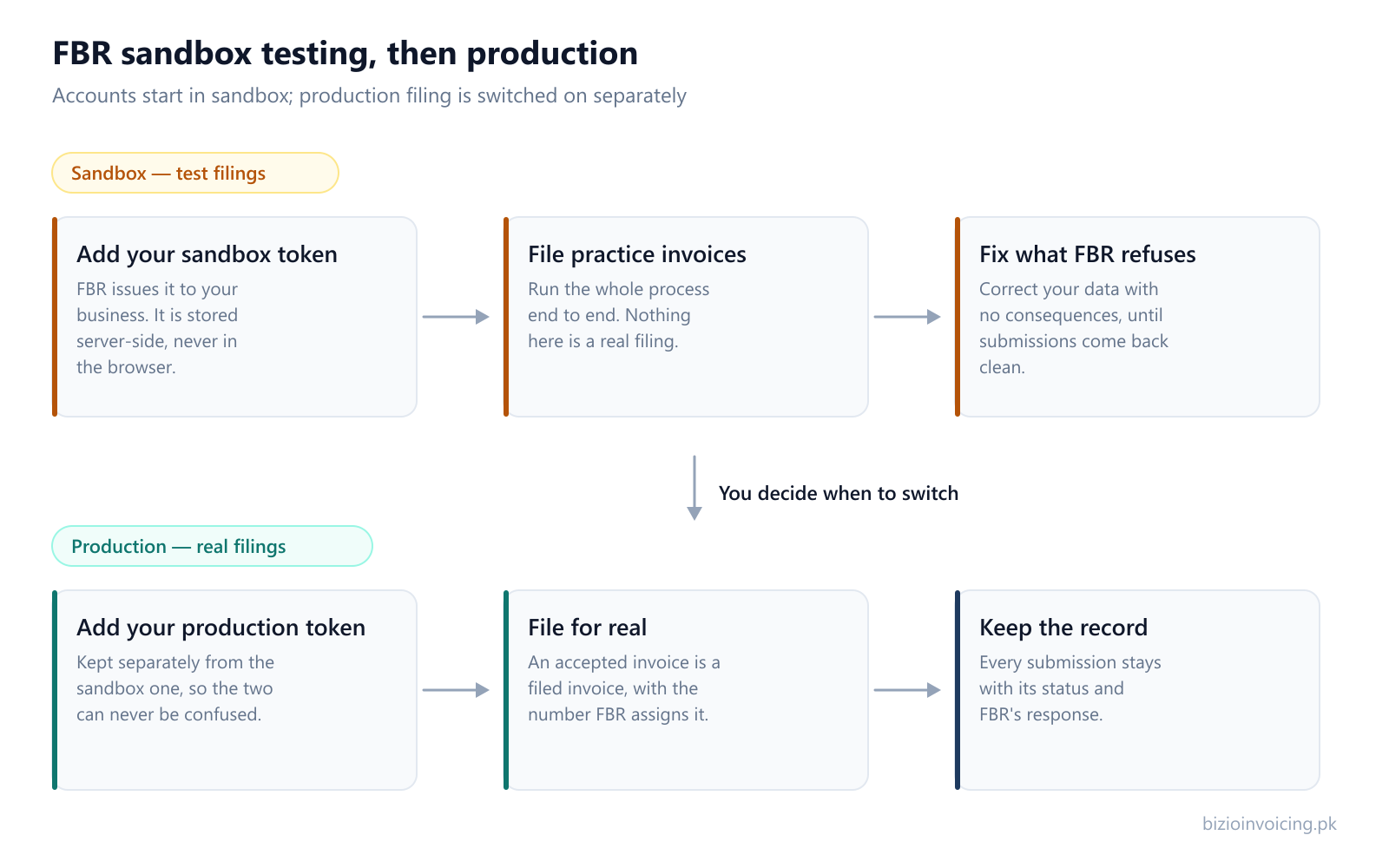
Common FBR sandbox testing errors
These are troubleshooting categories supported by section 7 of the technical specification, not measured frequency rankings. Always read the actual returned message. Codes are context, not a complete diagnosis or permission to change a tax treatment.
- HS code (0044 / 0052): Check a missing HS code or a code that does not match the sale type. Use the item reference and the correct classification. Review the related fields.
- Rate (0046): Check the required rate against the available reference values for the transaction. Review the related fields.
- Sale type (0092 / 0093): Check the sale/purchase type and any manufacturer restriction identified in the returned message. Review the related fields.
- UOM (0099): Check the unit against the HS code. A general unit-list entry is not proof that the unit is valid for that item. Review the related fields.
- Buyer registration (0106 / 0107): Check the buyer's sales-tax registration and the registration-number mismatch reported by FBR. Review the related fields.
- SRO / schedule (0077): Check the SRO requirement in the response and the selected rate. Consult the dated reference values and applicable rules. Review the related fields.
- Tax calculation (0102 / 0104 / 0105): Review the reported 3rd Schedule, percentage-based or quantity-based calculation mismatch. A scenario ID does not calculate tax for you. Review the related fields.
- Numeric fields (0300): Inspect the field named in the response for an invalid decimal value. This code covers several fields; it is not limited to sales tax. Review the related fields.
Wrong scenario or assignment: compare the ID, sale type and activity/sector row. Bizio's selected ID is not a local guarantee of compatibility. A dedicated scenario-mismatch error code is not specified in the referenced section 9; this guide does not invent one.
Official sales error list, pages 36–41. For broader troubleshooting and record correction, use the existing FBR invoice error guide.
What a successful sandbox test does not establish
A successful response records the outcome of that test. It does not establish the correct legal classification for every transaction, guarantee identical future production responses, or mean Bizio is endorsed by FBR. Confirm classifications and tax treatment against applicable rules and qualified advice when needed.
Before moving to production
Confirm completion of the scenarios assigned by FBR and check the production-token status in its portal. The user manual's completion FAQs describe the assignment as a whole; do not assume one successful test covers every required scenario. An authorized Bizio administrator must separately configure and enable production. Verify the environment before submitting an actual invoice. See the Bizio setup walkthrough.
Official sources and future updates
- FBR Digital Invoicing Technical Assistance: the official starting point for checking a newer API specification.
- Technical Specification for DI API v1.12: section 4 (invoice fields), section 5 (reference APIs), section 7 (sales errors), section 9, page 46 (scenarios) and section 10, pages 47–51 (business activity).
- FBR Digital Invoicing User Manual page and User Manual v1.5: printed pages 7–9 and FAQs 18–21, printed pages 19–20. The PDF viewer page is one higher than the printed manual page.
The checked date records this review, not a promise that requirements remain unchanged. Scenario-specific information absent from these references is marked as not specified. Always verify the latest official FBR/PRAL documentation and the tests assigned in your portal.
Read next
Understand an FBR rejection
Find the affected fields and correct the invoice using the actual response.
FBR digital invoicing, explained
The system, invoice lifecycle and official sources behind this testing guide.
Validate and submit an Excel batch
Understand grouped invoices, batch validation, rejected results and corrections.
Ready to file your first invoice?
Tell us your business name and registration number and we will set up your account. You start in sandbox mode, so nothing is filed for real until you are ready to switch to production.
WhatsApp +92 339 4453223 · bizio.official1@gmail.com