1. Seller details
Who is issuing the invoice. These have to match your registration.
- Business name, as registered
- Registration number (NTN)
- Province
- Address
What information a compliant FBR digital invoice has to carry — seller, buyer, document and line-item details — in one practical checklist for Pakistani businesses.
Bizio Invoicing is an independent software provider. It is not affiliated with, endorsed by, or an official service of the Federal Board of Revenue (FBR) or PRAL. Requirements are set by FBR and can change; confirm the current fields against FBR's own documentation or with your tax consultant.
On a paper invoice, a missing province or an approximate product code was something to tidy up later, if anyone noticed at all. Under FBR digital invoicing the invoice is checked when it is filed, so the same details now decide whether it is accepted.
An invoice is built from a few blocks of information. Get every block complete and internally consistent and the invoice goes through; leave a gap in one and it comes back. Here is what each block carries.
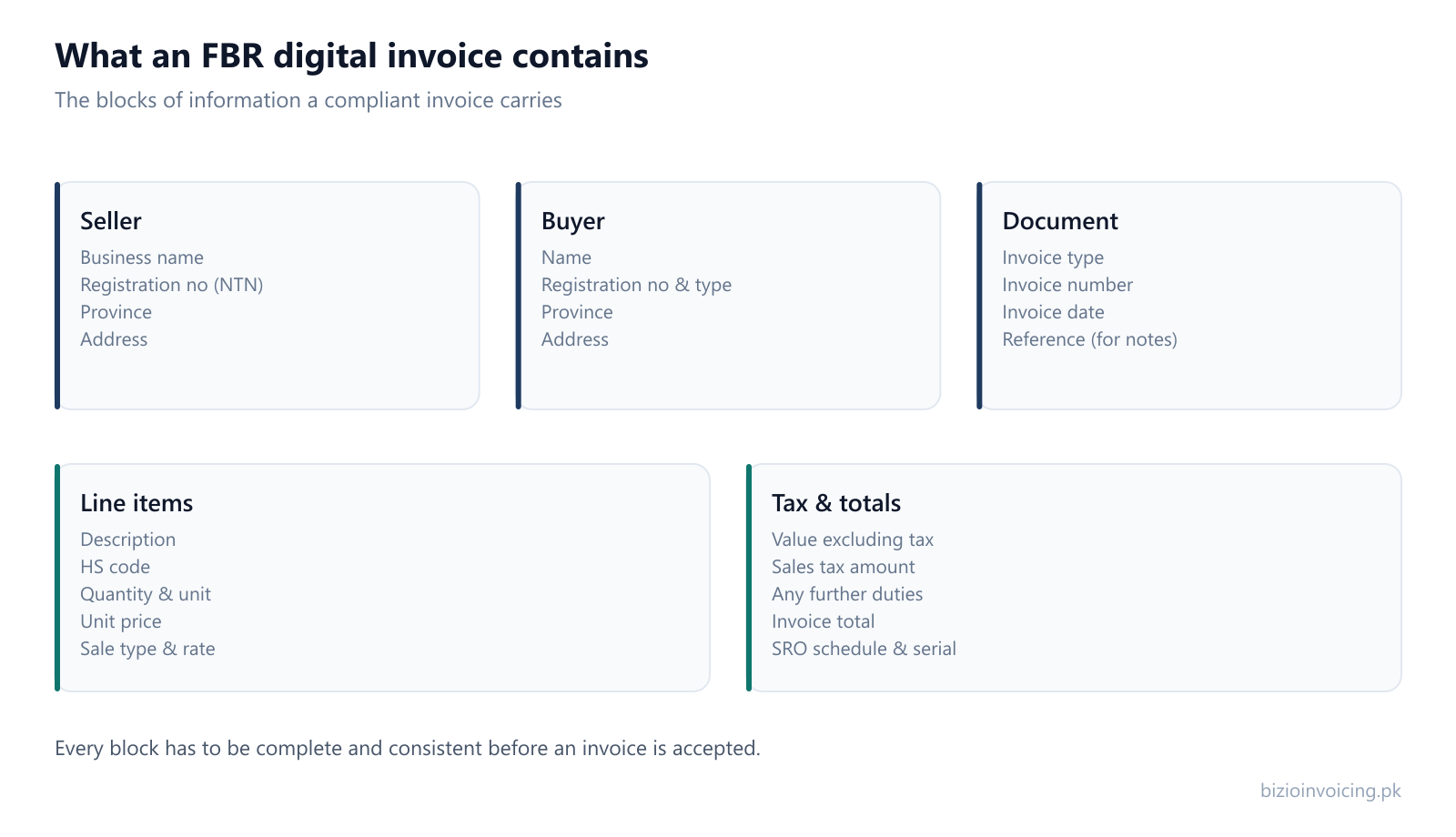
Who is issuing the invoice. These have to match your registration.
Who the invoice is to, and how they are registered.
What kind of document this is, and how to find it later.
What is being sold, one row per item.
The amounts, which have to follow from the line items.
A field being filled in is only half of it. The blocks have to agree with each other. A buyer's province has to match the address and be one of the province names FBR lists; a unit of measurement has to be one FBR accepts for the HS code on that line; a rate has to fit the sale type; a credit note has to reference an invoice that was actually accepted.
Most refused invoices are not missing a field — they contain one that disagrees with another. In particular, document numbers must follow an unbroken, unique sequence without repeats; see our invoice numbering guide for how credit and debit notes link back to an original invoice. Why FBR rejects an invoice groups the remaining disagreements into the handful of families they fall into.
Bizio Invoicing is independent invoicing software — it does not set the requirements, it helps you meet them. The invoice form is built around the blocks above, the reference lists (provinces, units, HS codes, sale types) come from FBR's own data rather than a hand-kept list, and the invoice is checked before it is filed so a missing or inconsistent field is caught while it is still easy to fix.
Saved customers and saved products mean the seller, buyer and item blocks are entered once and reused, so completeness is not something you have to get right by hand on every invoice.
The exact province names, FBR state codes and buyer registration types the seller and buyer blocks use.
How the HS code on a line governs which units of measurement are valid for it.
The wider picture — what the system is and whether it applies to your business.
Tell us your business name and registration number and we will set up your account. You start in sandbox mode, so nothing is filed for real until you are ready to switch to production.
WhatsApp +92 339 4453223 · bizio.official1@gmail.com